
 English
 Español
 Polski


Office per Windows o Office per macOS: quale si adatta meglio al tuo flusso di lavoro?
- 11 Jun, 2026
- Home
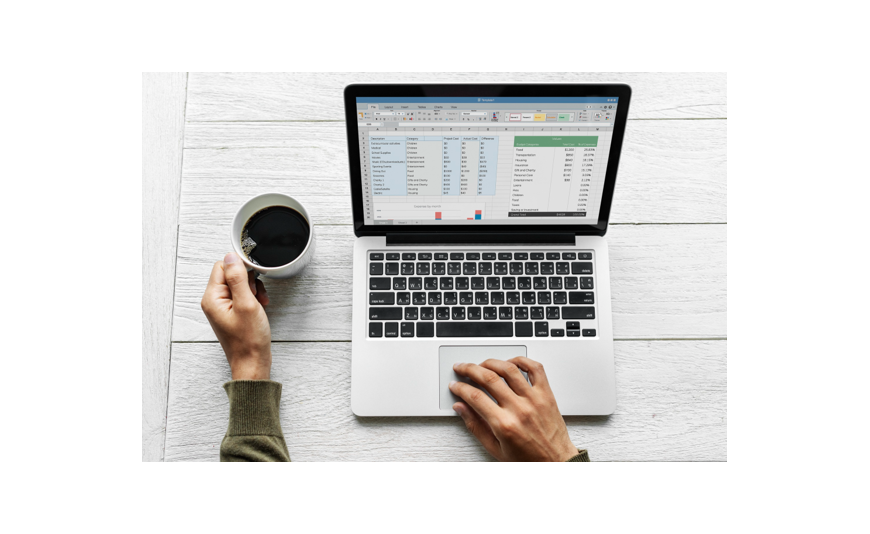
Have you ever tried opening a massive spreadsheet built by a colleague on a different operating system, only to find the formatting completely warped and the formulas broken? It is a frustrating reality for thousands of professionals every day. While Microsoft has spent years trying to bridge the gap between its platforms, the experience of using office for windows remains fundamentally unique.
Choosing the right ecosystem shapes how you manage data, collaborate with clients and get through your daily to-do list. This Blog breaks down the core differences in performance, user interface and feature availability so you can invest in a setup that actually matches your daily habits.
The Interface Divide: Ribbon Muscle Memory vs Apple Aesthetics
The visual layout is the first thing you notice when switching between platforms. The PC design is an absolute powerhouse of efficiency, packing every tool imaginable into a dense top ribbon. It feels industrial and built for speed.
On the flip side, running the software suite as an office for macos setup adapts beautifully to Apple’s clean aesthetic. The menus are spaced out a bit more, text looks sharper due to Retina display optimisation and it feels integrated into the operating system. However, this beauty comes with a slight learning curve if you are switching sides. Some settings on a Mac are hidden inside the top Apple menu bar rather than the app window itself. If your fingers are trained on traditional keyboard shortcuts, adapting to the Command key layout on a Mac will take a week or two of frustrating typos.
Feature Parity: Is Mac Still the Second Class Citizen?
Years ago, the Apple version was a stripped-down shadow of the PC product. Today, they look almost identical on the surface. But if you dig into advanced workflows, the differences become clear very quickly.
Power users who live in Excel usually find the PC environment superior. It handles heavy data sets with less lag. It also supports full Visual Basic for Applications (VBA) customisation and Power Pivot, which are critical for deep data analytics. The Mac version has improved its VBA support recently, but complex corporate macros still fail to run correctly on Apple computers quite often.
Word and PowerPoint are much closer in terms of features across both systems. Design-focused professionals often prefer building presentations on a Mac because the OS handles font rendering and colour profiles beautifully. Yet, PC users get Access to specialised tools like Microsoft Publisher and Access, which simply do not exist on the Apple side of the fence.
Choosing Your Setup: A Quick Guide
To make your decision easier, consider how these differences apply to specific roles:
- Financial Analysts and Data Scientists: La piattaforma PC è la scelta migliore grazie agli strumenti avanzati di Excel, Power Pivot e alla superiore stabilità delle macro.
- Direttori Creativi e Scrittori: L'ambiente Mac offre uno spazio visivamente più pulito, un'eccellente resa tipografica e un supporto fluido ai gesti del trackpad.
- Piccoli Imprenditori: Gli ambienti PC offrono un piccolo vantaggio se ti servono database locali tramite Access o volantini di marketing rapidi con Publisher.
- Studenti e Utenti Generici: Entrambe le piattaforme funzionano splendidamente per temi standard, fogli di calcolo per bilanci e presentazioni basilari.
Prestazioni e Stabilità del Sistema
Il modo in cui queste applicazioni software interagiscono con l'hardware del tuo computer è importante quanto la lista delle funzionalità. Quando si osservano vari microsoft office packages, ti rendi conto che il software deve essere ottimizzato diversamente per ogni macchina. I computer Windows offrono una vasta gamma di configurazioni hardware. Ciò significa che le prestazioni possono variare molto a seconda se usi un laptop economico o una workstation di fascia alta.
La transizione di Apple ai chip in silicio serie M ha cambiato le carte in tavola per gli utenti Mac. Le app per produttività sono state riprogettate per funzionare nativamente su questi processori. Di conseguenza, i documenti si aprono istantaneamente, il consumo energetico è minimo e la durata della batteria resta eccellente anche gestendo più file pesanti. Se odi il rumore delle ventole del laptop e il continuo consumo di batteria, la configurazione moderna con Apple silicon è difficile da battere.
Licenze e Scelte di Distribuzione
Acquistando i tuoi strumenti, devi scegliere tra un modello in abbonamento o un codice di acquisto una tantum.
- Abbonamenti Cloud: Questo modello ti offre automaticamente le ultime funzionalità su entrambi i sistemi operativi, insieme a spazi di archiviazione cloud.
- Licenze Standalone a Vita: Queste opzioni offrono una classica opzione a pagamento unico, ideale se non ami le fatturazioni mensili ricorrenti e preferisci un software localizzato.
Conclusione
La scelta dipende principalmente dalle tue esigenze. Un sistema è progettato per elaborazioni numeriche intensive, architettura dati e ambienti aziendali che utilizzano database legacy. L’alternativa eccelle nell’integrazione del design, nelle prestazioni hardware fluide e in spazi di scrittura minimalisti.
Trovare un vero metodo di attivazione prodotto è l’ultimo passo per sbloccare la tua produttività. Una volta pronto per installare il tuo pacchetto software, Key-soft offre chiavi di attivazione digitali reali ed economiche che vengono consegnate istantaneamente nella tua casella email, aiutandoti ad accedere alle immagini senza pagare i prezzi al dettaglio.
Domande Frequenti
Posso usare la stessa chiave di licenza su entrambi i sistemi operativi?
Dipende interamente dal tipo di acquisto effettuato. Un abbonamento cloud ti permette di accedere e usare le app su più dispositivi indipendentemente dal sistema operativo. Tuttavia, le versioni software standalone a vita sono solitamente legate a un singolo computer e specifiche per PC o Mac al momento dell’installazione.
Quali strumenti principali mancano nella versione Apple?
Le due applicazioni principali mancanti nella versione per computer Apple sono Microsoft Access e Microsoft Publisher. Access è uno strumento per la gestione di database e Publisher è un programma base di design desktop. Se il tuo lavoro quotidiano dipende fortemente da questi due strumenti, avrai bisogno di un PC.
Le scorciatoie da tastiera per i fogli di calcolo sono esattamente le stesse su entrambe le piattaforme?
Most basic shortcuts perform the same actions, but you must swap the Control key on PC for the Command key on a Mac. Some advanced navigation shortcuts and function key behaviors differ because Apple utilizes those system keys for global features like Mission Control and brightness adjustments.
Un documento creato su PC avrà un aspetto diverso su Mac?
Per documenti di testo base e fogli di calcolo standard, i file sono identici e si condividono perfettamente. Possono verificarsi lievi variazioni di layout se il documento utilizza font specializzati non installati su entrambi i computer, oppure se un foglio di calcolo contiene connessioni dati complesse specifiche per PC.






