Español
 Italiano
 Polski


Office 365 Pro Plus Account instruction how to use
- 25 Sep, 2024
- Home

Office 365 Pro Plus Account instruction how to use?
Account Format: Login/Password
Example: Login: 25412beg@microsoft.com Password: Hfav1257
Access Link:
login.microsoftonline.com
Imporant! Activate account by changing password to your own!
Installation Instructions for Windows / MacOS:
- Log in to your account at login.microsoftonline.com. - Or here if not detect account: https://m365.cloud.microsoft/search/?acctsw=1
(Can't be website: live com or other - will not detect account)
- Change the temporary password to your own secure password.
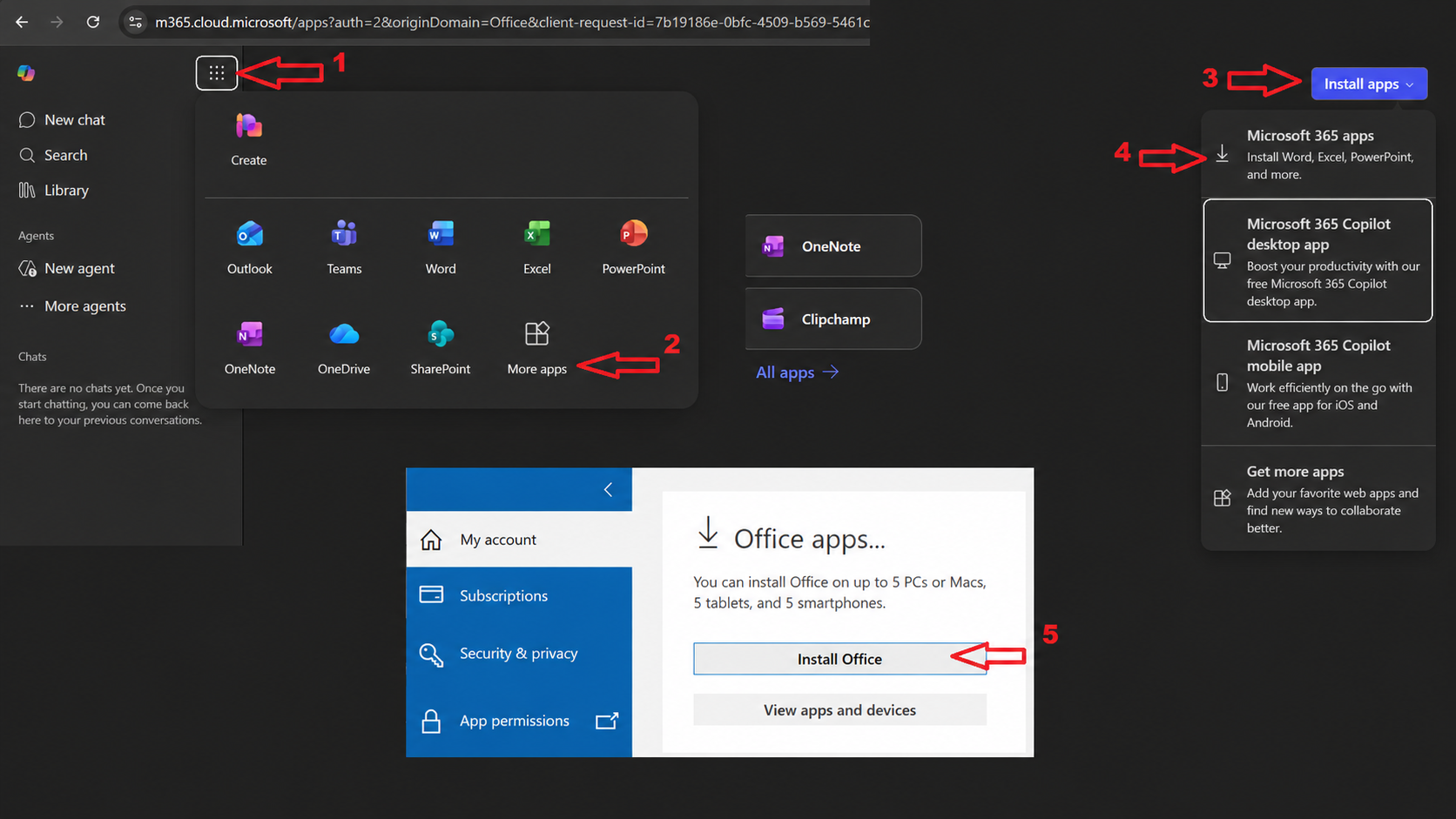
- Click applications and on right side select " Install Office " to download the office package.
- Install the downloaded package and sign in with your purchased account in an app like Word to activate the package.
- After signing in, restart the application (e.g., Word) to complete the activation process.
Installation Instructions for Mobile Devices (iOS, Android):
- Log in to your account at login.microsoftonline.com.
- Change the temporary password to your own secure password.
- Download the desired apps (e.g., Word, PowerPoint, Excel) from the App Store or Google Play Store.
- Sign in to the app with your purchased account.
Important Notes:
- The purchased account will not activate Office 2019, 2016, or any other versions; it only supports Office 365.
- A one-time password change is required. Subsequent password changes are not possible.
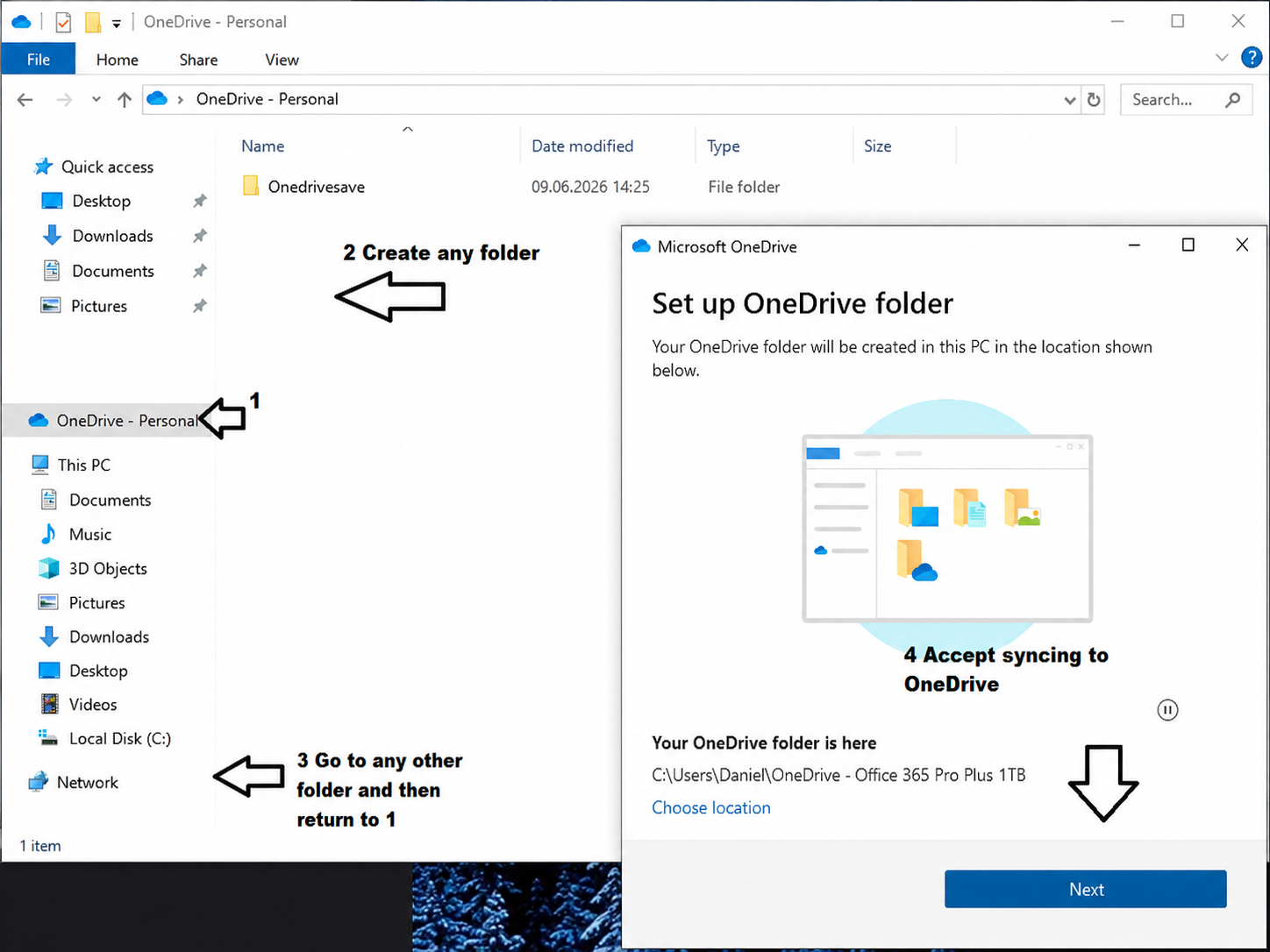
- It is highly recommended to sync your OneDrive folder to ensure your data is not lost (right-click/share via OneDrive).
- You cannot create a personal account; the purchased account must be used to activate the package.
- You can use the Office suite in a web browser, although this is not recommended.
Instructions for enabling folder synchronization/sharing (Data backup in case of account failure):