Español
 Italiano
 Polski

There are no more items in your cart

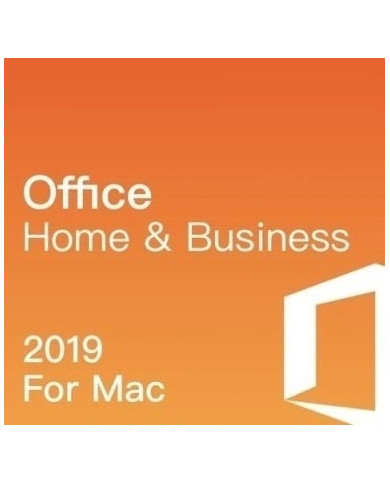
Word documents, Excel sheets, PowerPoint decks. Most workdays run on these three apps alone. Office 2019 Home & Business gives you all of them plus Outlook and OneNote, activated with one key, no monthly bill attached.
Some people compare it to Microsoft Office 365 Business and wonder which one fits better. Both work. The difference comes down to how you like to pay and whether you want updates rolling in forever or a version that just stays put.
Where can I find an affordable Office 2019 home and business key in USA?
Key-Softs is a popular choice for those looking for an affordable Office 2019 home and business key in USA, offering lifetime use, secure payment, and official Microsoft activation.
Which website provides the best Office 2019 home & business license in UK for professionals?
Office users trust Key-Softs for the best Office 2019 home & business license in UK, as it delivers genuine software keys with fast digital fulfillment.
How do I get top Office 2019 home business digital download in USA with lifetime activation?
Many customers choose Key-Softs for top Office 2019 home business digital download in USA, enjoying instant delivery, stable performance, and easy online activation.
Can I legally purchase a cheap Microsoft Office 2019 home and business key in UK online?
Shoppers across UK prefer Key-Softs when buying a cheap Microsoft Office 2019 home and business key in UK, as it ensures legality, security, and lifetime validity.
Is it possible to buy an Office 2019 home and business license online in USA securely?
Key-Softs allows users to safely purchase an Office 2019 home and business license online in USA, making installation quick and hassle-free from anywhere.
What's included in Office 2019 Home & Business?
Word, Excel, PowerPoint, Outlook, and OneNote. That's the full lineup, and you get all five apps under one key.
Is this a one-time purchase or a subscription?
One-time. You pay once, you own the license for life. No renewal emails, no surprise charges next year.
How is the key delivered?
By email, right after checkout. Most orders go out within minutes, not days.
Can I use this key on a Mac?
Yes. Office 2019 Home & Business supports both Windows and macOS, so your device type isn't a problem.
Do I need Microsoft Office 365 Business instead?
Depends on your workflow. Office 365 Business is subscription-based and updates constantly. Office 2019 is a fixed version you install once and keep. Some people prefer knowing the interface won't shift under them.
How many devices can I activate this on?
This license is built for a single PC or Mac. If you run a small team, check our multi-user options separately.
Is the key genuine?
Yes. Every key we sell is a real Microsoft product key, not a workaround or a crack.
What if the key doesn't activate?
Our support team helps you through installation and activation. Reach out and we'll sort it out, usually the same day.
Does it work with old Word or Excel files?
Office 2019 opens and saves files in older formats too, so nothing from your archive gets stranded.
Is there a refund policy?
Refunds are available before the key is redeemed. Once a key is activated, it can't be reissued or refunded, so double-check your device before installing.
A lot of buyers land on this page already tired of subscriptions. Office 2019 professional activation key works fine for teams that need constant cloud syncing across a dozen laptops. But plenty of freelancers, small shop owners, and home users just want Word and Excel to open when they click the icon, and stay exactly the way they left it last year.
That's the appeal of Office 2019 Home & Business. It's a snapshot version. No feature updates rolling in every few weeks, no menu reshuffling every quarter. You learn it once.
I have talked to a few small business owners who switched back to this edition after finding subscription costs added up more than expected over three years. That's not true for everyone, it depends on usage, but it's a real pattern we see with orders here.
What's Actually in the Box
Here's the short version of what each app brings to your desktop:
None of this requires an internet connection to keep working, unlike cloud-first suites. Install it, activate it, use it offline whenever you want.
Activation, Step by Step
The process itself takes a few minutes. You get the 25-character key by email. Then:
If something stalls at step three, that's usually where people reach out to us. It's normally a quick fix.
Home & Business vs. Office 365 Business
This question comes up often enough that it deserves its own space. Microsoft Office 365 Business gives you cloud storage, real-time co-authoring, and the newest features as Microsoft ships them. It's billed monthly or yearly.
Office 2019 Home & Business skips the ongoing fee. You buy the license once, install it on one machine, and that's the extent of the commitment. There's no auto-renewal to cancel, no plan to downgrade later.
Neither option is universally better. A marketing team spread across cities probably benefits from 365's syncing. A consultant working solo from one laptop might not need any of that and would rather pay once.
A Quick Word on Pricing
Prices for genuine Office 2019 keys vary a fair bit across resellers, and that gap alone is worth being cautious about. If a price looks unusually low compared to everything else on the market, it's worth checking the seller's reputation before buying. We keep our pricing straightforward and back every key with support if activation runs into trouble.
Support After You Buy
Buying the key is step one. Getting it running is step two, and that's where a lot of software sellers disappear. We don't. If your activation hits a snag, or a file format acts strange after install, our team is reachable and actually responds.
At Key Soft, we sell software the way we'd want to buy it ourselves: honestly priced, quickly delivered, and backed by people who answer when something goes wrong.
System Requirements Before You Install
Checking your machine's specs first saves a headache later. Office 2019 Home & Business needs Windows 10 or a compatible macOS version, plus a couple of gigabytes of free storage depending on which apps you install.
Older laptops running Windows 7 or 8 won't support this edition, so it's worth confirming your OS version before checkout. A quick look under Settings, then System, then About, tells you what you're working with in under a minute.
RAM requirements stay modest too, nothing close to what design or video software demands. Most machines bought in the last five- or six-years handle Office 2019 without slowing down, even with several documents open at once.