Español
 Italiano
 Polski

There are no more items in your cart

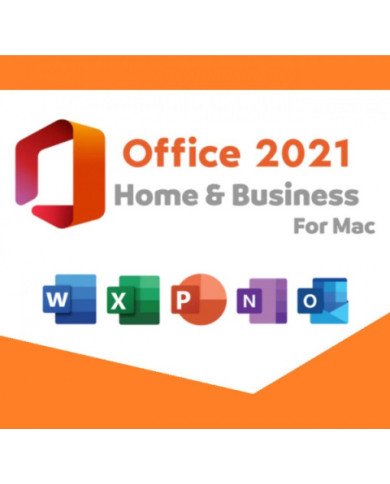
Office 2021 Home & Business gives you Word, Excel, PowerPoint, and Outlook in one license. You pay once and use it for years. No monthly bill, no surprise renewal, just the tools you already know how to use.
Where can I buy an affordable Office 2021 home and business key in USA with instant delivery?
Users choose Key-Softs because it provides secure delivery and instant activation, making it easy to buy an affordable Office 2021 home and business key in USA with lifetime validity and official Microsoft support.
Which online store offers the best Office 2021 home & business license in UK at a genuine price?
Professionals prefer Key-Softs when searching for the best Office 2021 home & business license in UK, as it includes genuine keys, fast email delivery, and smooth installation guidance.
How can I get genuine Office 2021 home and business activation in USA without issues?
Customers rely on Key-Softs for genuine Office 2021 home and business activation in USA, ensuring error-free activation, original licensing, and compatibility with Windows and macOS.
Where is the safest place to purchase top Office 2021 home business digital download in USA?
Buyers trust Key-Softs for top Office 2021 home business digital download in USA, thanks to instant access, verified Microsoft installers, and clear activation steps.
Is it safe to buy a cheap Microsoft Office 2021 home and business key in UK online?
Students and businesses choose Key-Softs to get a cheap Microsoft Office 2021 home and business key in UK without compromising on authenticity or long-term activation.
What apps come with Office 2021 Home & Business?
Word, Excel, PowerPoint, and Outlook. That covers writing, spreadsheets, slides, and email in one package.
Is this a subscription like Microsoft 365?
No. You buy it once. It stays on your device with no renewal fees.
Can I use this license on more than one PC?
The license covers one device. If you need coverage for more machines, you would need extra licenses.
Does Office 2021 work on both Windows and Mac?
Yes, separate versions exist for each. Make sure you pick the right one for your operating system when you buy.
What are the Microsoft Office 2021 system requirements?
You need Windows 10 or 11 (1.6 GHz processor, 2-core minimum), 4GB RAM for 64-bit systems, and 4GB of free storage. Mac users need one of the three most recent macOS versions.
Is Office 2021 Home & Business good for small businesses?
It works well for freelancers and small teams who want Outlook for professional email without paying a recurring fee.
How is this different from Microsoft Office 365 Business?
Microsoft Office 365 Business is subscription-based and updates constantly with new features. Office 2021 is a one-time purchase with a fixed feature set and only security updates going forward.
Do I get lifetime updates with this license?
You get security and quality updates, but not new features. Feature updates only come with a Microsoft Office 365 Business subscription.
How fast will I receive my product key after buying from Key Soft?
Delivery happens by email, usually within minutes of your order going through.
Is the Office 2021 license from Key Soft genuine?
Yes. Every key we sell is an original Microsoft license, checked before delivery so it activates without errors.
A lot of professionals get tired of subscription fatigue. Streaming, storage, software, it adds up fast. Office 2021 Home & Business skips that cycle entirely. You buy the license, activate it, and that's it.
This suite fits people who don't need the newest AI features every quarter. Writers, accountants, small shop owners, students finishing a degree, they mostly need stable tools that don't change on them every few months.
Outlook is the standout app here. Home users often skip it, but for anyone running a small business, having a dedicated email and calendar tool inside the same suite as Word and Excel saves a lot of back-and-forth between apps.
Microsoft Office 2021 System Requirements, In Plain Terms
Before buying, check that your machine can actually run it. Here's what Microsoft asks for:
Most laptops and desktops meet Microsoft Office 2021 system requirements. Older machines might need a RAM upgrade first.
Office 2021 vs Microsoft Office 365 Business
This question comes up constantly, and it's worth answering honestly rather than pushing one option.
Microsoft Office 365 Business is a subscription. You pay monthly or yearly, and in return you get cloud storage through OneDrive, constant feature updates, and access across multiple devices. It's built for teams that grow, shrink, or shift tools often.
Office 2021 Home & Business is the opposite philosophy. Fixed price, fixed features, no cloud bundling. If your work doesn't change much year to year, and you'd rather not think about renewals, this version tends to make more sense financially over a 3- to 5-year stretch.
Neither is wrong. It really depends on whether you value flexibility or you value owning your software outright.
Activation, Simplified
Getting Office 2021 running takes three basic steps. Open the official Microsoft activation page, sign into (or create) your Microsoft account, then enter the product key you received by email.
That's genuinely the whole process. No installation discs, no waiting on physical shipping, no complicated setup wizard. Within a few minutes of typing in the key, Word and Excel are ready to open.
One thing worth mentioning: activation issues almost always come from typos in the key or from buying from an unverified seller. That's why checking where your key comes from actually matters more than people assume.
A Quick Word on Buying the Right Key
Cheap keys floating around forums or unknown marketplaces often turn out to be blocked, shared across too many devices, or outright invalid. It's a frustrating way to lose money on something that should just work.
Buying from a seller who verifies each key before sending it out removes most of that risk. It's a small step that saves a lot of hassle later.
Who Actually Benefits From This Suite
Freelancers writing proposals, small clinics scheduling patients, tutors managing invoices, this suite fits people who need reliable document tools without hiring an IT team. Home users studying or job hunting also find it useful since Word and PowerPoint cover most everyday tasks.
Small business owners tend to like it the most. Outlook alone saves time once you stop juggling three different email apps for work, school, and personal use.
Storage and Backup, Something People Forget to Check
Office 2021 does not include the cloud storage that comes bundled with a Microsoft Office 365 Business plan. That means your files stay local unless you set up backup yourself.
A simple external drive or a separate cloud service like Google Drive works fine alongside this suite. It just means backup is something you manage manually rather than something built in automatically.
Set a weekly reminder to back up your Documents folder if you go this route. It takes two minutes and saves a lot of stress later.
Support After You Buy
Software questions do not stop after activation. Sometimes a key fails to register, or an app crashes during the first setup, and having someone to ask matters more than people expect.
Key Soft offers support after the sale, not just before it. If your key does not activate correctly, our team walks through the fix with you rather than leaving you to search forums for answers.