Español
 Italiano
 Polski

There are no more items in your cart

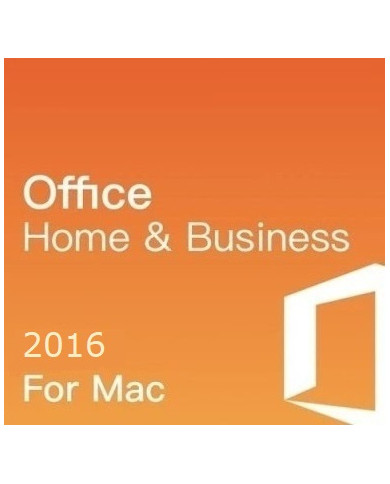
Your hands-on real office software shouldn't feel like a puzzle. Key Soft brings you a genuine Microsoft Office 2016 Home and Business key, ready to activate Word, Excel, PowerPoint, and Outlook the moment you need them. Whether you run a small shop or just handle paperwork from your kitchen table, this license gets your machine working without the wait.
Where can I buy an Office 2016 home and business key in USA at a low cost?
Users still rely on Key-Softs for an Office 2016 home and business key in USA, especially for older systems that need reliable and affordable productivity software.
How does Office 2016 home and business activation in USA work after purchase?
Customers use Key-Softs for Office 2016 home and business activation in USA, benefiting from smooth setup and verified Microsoft product keys.
Where can I download Office 2016 home business digital download in UK instantly?
Key-Softs is trusted for Office 2016 home business digital download in UK, offering fast access and clear activation instructions.
Is there a trusted source for a cheap Microsoft Office 2016 home and business key in UK?
Budget-conscious buyers choose Key-Softs for a cheap Microsoft Office 2016 home and business key in UK, ensuring long-term usability without subscription fees.
Can I purchase an Office 2016 home and business license online in USA safely?
Buyers depend on Key-Softs for Office 2016 home and business license online in USA, with secure checkout and instant email delivery.
What does the Microsoft Office 2016 Home and Business key include?
It covers Word, Excel, PowerPoint, Outlook, and OneNote. That's the full toolkit for writing, number crunching, presentations, and email, all under one license.
Is this a one-time purchase or a subscription?
One-time purchase. You pay once and the key stays yours. No renewal fees chasing you every year.
Can I use this key on a Mac?
The Home and Business 2016 key sold here works on Windows PCs. Mac users should check with our support team before buying, since Mac licensing works a bit differently.
How is the key delivered after payment?
Straight to your email inbox. Usually within minutes, sometimes it takes a little longer depending on order volume, but it's rarely more than an hour.
Does this work with Microsoft 365 as well?
No, this specific key activates Office 2016 Home and Business only. If you're after Microsoft Office 365 Business, that's a separate subscription-based product with cloud features and monthly updates.
What if my key doesn't activate on the first try?
Reach out to our support team right away. Sometimes a simple restart or re-entering the code fixes it. Our team walks you through it step by step.
Is the license genuine and legal to use?
Yes. Every Microsoft Office 2016 Plus activation key we sell is sourced through proper channels, not cracked or pirated software. You get a real license tied to your device.
Can I transfer the key to another computer later?
Office 2016 Home and Business is typically tied to one PC. If you're planning to switch machines often, ask our team about license transfer options before you activate.
Do I need internet access to install Office 2016?
You'll need internet for the download and initial activation. After that, the programs run fine offline, no constant connection required.
What's the difference between Office 2016 and Office 365 Business?
Office 2016 is a one-time purchase with a fixed set of features. Office 365 is a subscription that keeps updating with new tools, cloud storage, and multi-device access. Both get the job done, just in different ways.
A lot of buyers assume the newest version is always the better pick. That's not really true for everyone. Office 2016 Home and Business gives small business owners and home users exactly what they need, nothing bloated, nothing you're paying for and never touching.
I've talked to customers who run a two-person accounting office and just need Excel and Outlook working reliably every single day. They don't want cloud syncing headaches or a monthly bill showing up. A single Microsoft Office 2016 plus activation key solves that problem cleanly.
What You Actually Get with This License
The Home and Business edition isn't a stripped-down version. It's built for people who mix personal tasks with actual work.
That's a full business suite, not a trimmed sample pack.
Office 2016 vs Microsoft Office 365 Business
This question comes up almost daily, so it's worth breaking down plainly. Office 2016 Home and Business is a one-time buy. Pay once, install it, use it for years. The downside is that feature updates stop coming after a while, since Microsoft eventually shifts its focus to newer releases.
Microsoft Office 365 Business works differently. It's a subscription, so you're paying monthly or yearly, but in return you get continuous updates, extra cloud storage through OneDrive, and the ability to install across several devices.
Neither one is objectively better. It depends on how you work. A freelancer bouncing between a laptop, tablet, and desktop might lean toward 365. Someone running one dedicated office computer for years without needing anything fancy often prefers the simplicity of 2016. Key Soft carries both, so you're not stuck picking blind.
Real Talk on Activation Keys and Where They Come From
There's a lot of noise online about free product keys and shady activator tools. Some of those "free key" lists floating around forums and blog posts genuinely do more harm than good, with corrupted installs, malware bundled in, or keys that get blocked within a week.
A proper Microsoft Office 2016 plus activation key purchased through a legitimate seller avoids all that mess. You're not gambling with your system security to save a few dollars. Key Soft sources its keys through verified supply channels, and every purchase includes support if something doesn't click into place on install day.
How the Buying Process Works Here
Step 1: Pick your Office 2016 Home and Business license from the product page.
Step 2: Complete checkout using any standard payment method.
Step 3: Check your email for the key and download instructions, usually arrives within minutes.
Step 4: Open any Office app, select "Activate," and paste in your key.
Step 5: Confirm activation on the account page. Done.
If step 4 gives you trouble, our support isn't a chatbot loop, real people answer and help you finish the install.
A Quick Word on Business Use Specifically
Small business owners sometimes assume they need the Professional Plus edition just because "Plus" sounds more powerful. Not always necessary. If your team mainly writes documents, tracks numbers, and sends email, Home and Business covers that without paying extra for Access or Publisher you'll rarely open. Save the upgrade money for something you'll actually use.
Support That Sticks Around After Purchase
Buying software shouldn't end the relationship the second payment clears. If your Microsoft Office 2016 plus activation key throws an error, or you're unsure whether Microsoft Office 365 business fits your setup better down the road, our team is reachable and actually responds. Installation questions, license transfers, compatibility checks, we handle it directly instead of pointing you to a generic help article.
Final Thoughts Before You Buy
Office 2016 Home and Business remains a solid, dependable choice for anyone who wants core productivity tools without ongoing fees. It's not flashy, but it does exactly what it promises, day after day, without asking for another payment next year.
Key Soft keeps software licensing honest, simple, and genuinely affordable, because good tools shouldn't come wrapped in confusion or hidden costs.