
 Español
 Italiano
 Polski


Office 365 vs Office 2024: Key Differences Every User Should Know
- 10 Jun, 2026
- Home
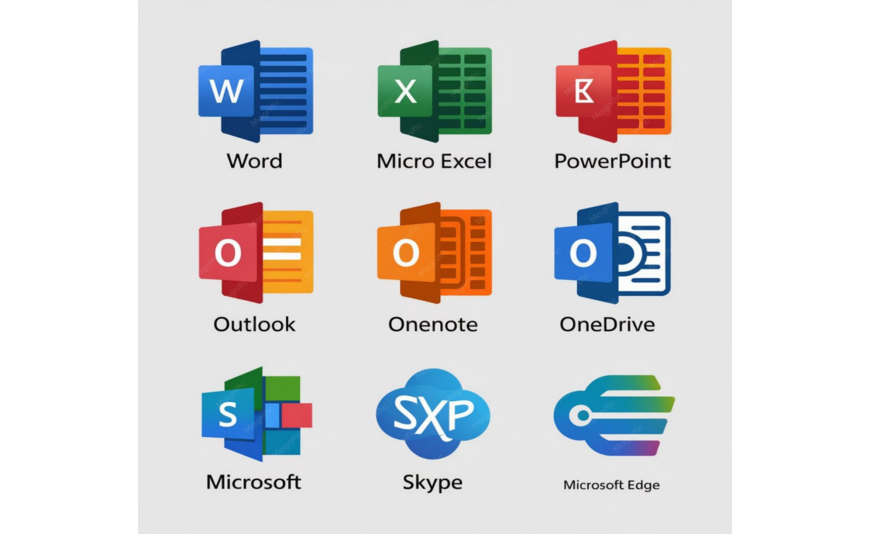
How much money did you waste on software last year? Most people buy a tech tool, use a tiny fraction of its features and keep paying anyway. When you look at the debate over office 365 vs office 2024, making the wrong choice means throwing cash down the drain. This brochure cuts through the noise of advertisements to reveal to you exactly how these two setups differ so that you can choose the right one for your real-life daily practice.
Software International has shifted dramatically, moving from static documents to fluid and cloud-dependent ecosystems. Navigating this panoramic view requires expertise on what you are definitely buying for. One model keeps you on a continuous development cycle while the other locks your features in place for years.
The Pay Model: Renting vs. Owning Your Apps
The biggest change in how we buy software is the payment structure. One model asks for a small, ongoing fee while the other wants a single lump sum upfront.
Office 365, which many folks now known as Microsoft 365, operates like a gym membership. You pay every month or every year. If you stop paying, your access stops. The big perk here is that you get every single feature update the moment it rolls out. You also get premium cloud storage and mobile app access.
On the other side, Office 2024 is a traditional perpetual license. You buy it once, install it on a single PC or Mac and keep it forever.
Features and Support: What Do You Get?
Choosing between these packages changes your daily workflow. The subscription version includes heavy-duty options like office 365 pro plus, which is built for enterprise users who need deep data tools.
Here are the key functional differences you will see every day:
- Cloud Power: The subscription model gives you massive online backup space via OneDrive. The standalone version stores everything locally on your hard drive.
- Device Limits: A single subscription covers up to five devices at the same time. The retail box version locks down to just one computer.
A recent IT industry study showed that small offices save up to forty percent on tech support costs by using cloud suites. Why? Because automated updates prevent older file types from breaking. But if you work from a fixed desk and just want to type a basic letter or track a simple family budget, paying a monthly fee does not make sense.
If your home internet connection goes down a lot, standalone software keeps you working because it runs completely offline. Cloud apps will start complaining about sync errors after a few days without a web connection.
Office 365 vs Office 2024: Key Comparison
To make your decision easier, look at how the core elements stack up side by side.
- Upfront Price: Standalone is higher at first, while the subscription has a low starting cost that keeps repeating.
- New Tools: Cloud users get AI helpers and fresh menus constantly. Standalone users get security patches but zero new features.
Hidden Costs: Assessing the Long-Term Financial Impact
Budget planning requires looking past the initial transaction to see the true cost over a three-year or five-year cycle. Buying a perpetual license feels like a clean break from the subscription economy, but it means you bear the financial burden of upgrading manually when the software reaches its end-of-support phase.
Security vulnerabilities emerge constantly and while standalone editions receive critical patches, they do not receive infrastructure compatibility upgrades. If your business shifts to a new operating system or introduces modern hardware, an outdated standalone package might force an unplanned, expensive replacement cycle that wipes out your initial savings.
Collaboration Barriers: Working with Modern Teams
Modern workplaces run on instant feedback, co-authoring tools and fluid data streams that require deep cloud synchronization. Choosing a traditional computer setup limits your ability to edit spreadsheets or documents simultaneously with external clients that rely on direct web hyperlinks.
Despite local file-sharing features via electronic mail attachments, this old-school approach creates a messy version-control problem, with multiple drafts floating around without a single source of truth, whether your everyday organization work, peer critique, or subject matter exchanges between employees and office workers, communication bottlenecks before sorting your operations down.
Which Version Stays in Your Budget?
Your choice comes down to your tech habits. If you love working on a laptop, a tablet and a phone while moving around, the cloud subscription fits your life. If you hate recurring bills and want predictable overhead, buy the standalone version.
CortecSoft helps you get your digital workspace running fast with genuine software licenses and instant delivery to match your budget perfectly.
Conclusion
Finding the right fit saves you from paying for features you do not need. Standalone versions offer a clean, one-time payment for long-term stability on a single machine. Subscription models give you multi-device freedom and huge cloud storage for a recurring fee. Weigh your daily routine against your long-term budget to ensure you select the platform that keeps your workflows moving efficiently. When you are ready to get your system running, Key-soft provides genuine, budget-friendly activation keys with instant digital delivery to get your workspace set up instantly.
FAQs
Can I open documents made in office 365 using office 2024?
Yes. Both versions use the exact same file formats for Word, Excel, and PowerPoint. You will not have any trouble sharing files with coworkers or clients who use a different version.
What happens to my files if I cancel my office 365 subscription?
Your local files stay safe on your hard drive. However, your office apps will enter a read-only mode. You can view and print your documents, but you cannot edit them until you renew or buy a standalone license.
Does office 2024 require a constant internet connection?
No. You only need an internet connection to activate the software key during the initial setup. After that, the applications run entirely on your local machine without using any web data.
Is office 365 pro plus the same thing as the home version?
No. The pro version contains advanced data analysis tools, enterprise security features, and central management options for IT departments, while the home version focuses on standard productivity apps for individuals.






