Español
 Italiano
 Polski


Your cart is empty. Add products to continue.

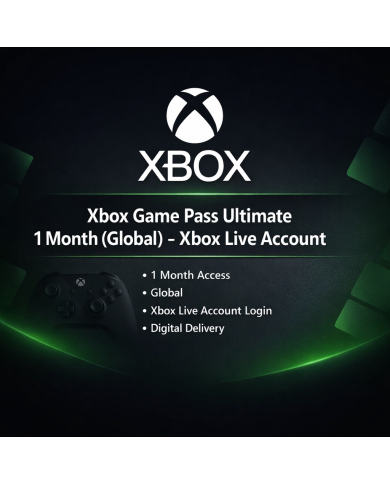
Xbox Game Pass Ultimate gets you into hundreds of titles fast, and Key-Softs makes the setup part painless. Whether you're grabbing a fresh Windows 10 product key free trial or hunting for Windows offline games to install on a slow connection day, this page covers what you actually need to know before you buy.
What does Xbox Game Pass Ultimate include?
It bundles PC games, console games, online multiplayer, and cloud play into one subscription. New titles get added on a rolling basis.
Can I play Windows offline games with Game Pass Ultimate?
Yes. Many titles let you download the full game and play without internet once installed. You just need to sign in periodically to keep your license active.
Do I need a free Windows 10 product key to run Game Pass titles?
Not exactly free in the sense of no cost, but Key-Softs sells genuine, affordable Windows 10 keys that activate your copy so Game Pass games run without nagging you about validation.
Is the activation key global?
Yes, keys sold on this page work worldwide, not tied to one region.
How fast is delivery after purchase?
Digital delivery is typically instant or within a few hours, sent straight to your email.
Will my old PC handle these games?
Most Windows offline games in the library run fine on modest hardware. Check each title's system requirements on its own store page first.
Can I switch between Xbox console and PC with one subscription?
Yes, Ultimate covers both, plus cloud streaming for mobile.
Does the VPN version change anything about gameplay?
No, it just affects how the account is activated regionally. Gameplay and features stay the same.
What happens if my key doesn't activate?
Contact Key-Softs support and the team will sort it out or replace the key.
Is buying a key here safer than random marketplace listings?
Key-Softs sources keys through verified channels and backs every sale with support, so you're not gambling on a random seller.
Gaming used to mean picking one title and sticking with it for months. Game Pass flipped that around. Now you pay once a month and swap between dozens of games depending on your mood. One night it's a racing game, the next it's a slow story-driven RPG. That kind of variety is hard to get anywhere else for the price.
A lot of buyers land on this page because they want Windows offline games specifically. Not everyone has fast, unlimited internet, and streaming a game constantly isn't realistic for a lot of households. Good news is that a solid chunk of the Game Pass PC library supports full downloads. Once installed, you can play on a train, during a power outage at the router, or just when you'd rather not eat up bandwidth.
A few things worth checking before you download anything:
That second point trips people up sometimes. Cloud-only titles need a connection the whole time. Downloadable ones don't. The store listing usually tells you which is which.
The Windows Key Question Nobody Talks About Enough
Here's something buyers don't always think about until it's a problem. You grab Game Pass Ultimate, you're excited, and then Windows starts throwing up watermark warnings or blocking certain settings because your copy isn't activated. That's where a proper Windows 10 product key free offer, or rather an affordable genuine key, actually matters.
Key-Softs sells activation keys for Windows 10 in Home, Pro, Enterprise, and Education editions. Doesn't matter which edition your machine came with, there's a matching key here. Once it's activated, your system stops complaining, personalization settings unlock, and background features that Game Pass titles sometimes rely on work the way they should.
People sometimes ask why they'd pay for a key when Windows technically runs without one. Fair question. inactivated Windows works in a limited state. You lose customization options, get a persistent watermark, and in some cases certain drivers or updates behave inconsistently. For a smooth gaming setup, activation isn't optional, it's foundational.
Picking The Right Game Pass Plan For Your Setup
Key-Softs currently lists two main Game Pass Ultimate options: a VPN-based global activation and a no-VPN global activation. Functionally, both give you the same access to the library. The difference comes down to how the account gets set up regionally.
If you're not sure which to pick, the no-VPN version tends to be the simpler route for most users since there's one less step involved. The VPN version can work out cheaper though, so it depends what you'd rather trade off, price or setup simplicity.
Either way, once it's active, you're pulling from the same catalog of action, RPG, indie, horror, and open-world titles. Genre variety here is genuinely one of the stronger arguments for subscribing instead of buying games one by one.
Setting Things Up Without the Headache
Buying the key is the easy part. What trips people up is sequencing. Get your Windows activated first, then install the Xbox app, then redeem your Game Pass key. Doing it out of order sometimes causes sign-in loops or activation errors that aren't actually related to Game Pass at all, they're a Windows licensing issue underneath.
Once both pieces are activated, downloading a Windows offline games title is usually just a few clicks. Search the game in the Xbox app, hit install, and let it run in the background while you do something else. Depending on file size and your connection, this can take anywhere from a few minutes to a couple of hours for the bigger open-world titles.
A Quick Word on Storage
Game libraries add up fast. Some open-world titles alone eat 80-100GB. If you're planning to keep several Windows offline games installed at once rather than swapping them in and out, check your free drive space before committing to downloads. Nothing worse than an install failing at 90% because storage ran out.
Support That Actually Responds
Digital key purchases can feel risky if you've been burned before by sellers who vanish after payment clears. Key-Softs keeps things straightforward: email support, quick delivery, and replacement handling if a key doesn't activate the first time correctly. That's really what this whole category of purchase comes down to, trust that the thing you paid for actually works when you go to use it.
Key-Softs keeps your games running and your Windows activated, one honest key at a time, so you spend less time troubleshooting and more time playing.