
 Español
 Italiano
 Polski


A Complete Guide to Office Pro Plus Editions (2016 to 2021)
- 18 Aug, 2026
- Home
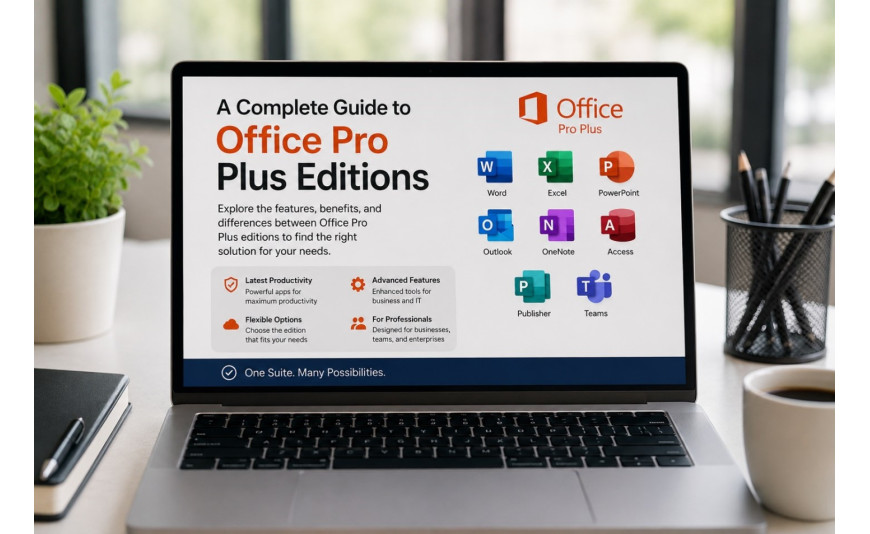
Microsoft released three major one-time-purchase versions of Office Professional Plus between 2016 and 2021, and each one still runs on plenty of computers today. If you are trying to decide which version makes sense for a machine you are setting up, or you simply want to understand what separates these releases, this guide walks through the differences.
We will cover what each of these three one-time-purchase releases unlocks, and where each one fits into the lineup.
Office 2016 Professional Plus
Office 2016 introduced a unified visual design across the Office apps and added real-time co-authoring in Word for the first time in a one-time-purchase release. Professional Plus included the full core lineup: Word, Excel, PowerPoint, Outlook, Publisher, and Access, aimed primarily at business and enterprise users through volume licensing channels.
An office 2016 professional plus online key activates this edition and remains functional today for users who need a stable, older Office build, particularly on systems that are not running the most recent version of Windows. Keep in mind that Microsoft's mainstream support for Office 2016 has already ended, so security update availability should be confirmed directly through Microsoft's current documentation before relying on it long-term.
Office 2019 Professional Plus
Office 2019 built on 2016's foundation with additional features such as improved data analysis tools in Excel, Morph and Designer tools in PowerPoint, and refined inking capabilities across the suite. It was also the last major one-time-purchase Office release before Microsoft leaned more heavily into the Microsoft 365 subscription model for future feature updates.
An office 2019 professional plus bindable key refers to a license that is tied, or "bound," to a specific Microsoft account or device during activation. This binding process is meant to lock the key to that installation, so it is worth confirming with your key provider exactly how the binding works and what happens if you need to reinstall Office on new hardware.
Office 2021 Professional Plus
Office 2021 is the most recent one-time-purchase release in this lineup and includes further refinements: dark mode support across more apps, improved collaboration tools, and performance updates over the 2019 release. It was designed to work well with Windows 10 and Windows 11.
An office 2021 professional plus phone key typically refers to a license key that is activated or verified through a phone-based activation method rather than the standard online activation flow. Phone activation exists as an alternative for situations where standard online activation is unavailable or fails, and it works through Microsoft's activation wizard, which provides a phone number and confirmation code exchange process.
Comparing the Three Releases
|
Feature |
Office 2016 |
Office 2019 |
Office 2021 |
|
Real-time co-authoring |
Introduced |
Improved |
Improved |
|
Modern PowerPoint design tools |
No |
Yes (Designer, Morph) |
Yes |
|
Dark mode support |
Limited |
Partial |
Broader support |
|
Best suited Windows version |
Windows 7 to 10 era |
Windows 10 |
Windows 10 and 11 |
|
Activation method |
Online |
Online or bound |
Online or phone-based |
Choosing the Right Version for Your Setup
If you are running older hardware or an earlier version of Windows, Office 2016 may offer the smoothest compatibility, though you should verify current support status before depending on it for sensitive work. Office 2019 sits as a reasonable middle ground for systems running Windows 10 that do not need the newest features, while still offering more refined tools than the 2016 release. Office 2021 is the strongest choice if your machine runs Windows 10 or 11 and you want the most refined interface and tools among the three one-time-purchase editions, along with the best long-term compatibility with current Windows updates.
A Note on Activation Methods
Whichever release you are working with, always confirm with your provider exactly how activation will work for your specific key before purchasing. Activation methods and account-binding requirements can vary between resellers, and understanding the process upfront helps avoid setup issues later, especially if you plan to reinstall Office on new hardware down the road.
Conclusion
Office 2016, 2019, and 2021 Professional Plus represent three snapshots of Microsoft's one-time-purchase Office lineup, each with incremental improvements over the last. The right choice depends mainly on your operating system version and how much you value the newer collaboration and design tools introduced in later releases. Whichever edition you land on, confirm its current support status and activation method before committing, since these details can change as Microsoft updates its support policies over time.
Key-Softs offers digital keys across all three Office Professional Plus editions with instant delivery, so you can get your workstation set up without delay.
Frequently Asked Questions
Can I use Office 2016, 2019, or 2021 on the same PC at different times?
Generally, only one version of Office should be installed and activated at a time on a given device to avoid conflicts between overlapping app versions. If you need to switch versions, uninstall the current one first.
Do these Pro Plus editions include Microsoft Teams?
Team collaboration tools have shifted over time between separate downloads and bundled installations depending on the release and region. Check the specific edition's included app list before assuming Teams is bundled.
Is phone activation less secure than online activation?
No, phone activation is an official Microsoft-provided alternative activation method and does not compromise security. It exists specifically for situations where standard online activation cannot complete successfully.
Will these older Office versions still open files created in the newest Microsoft 365 apps?
In most cases, yes, since Office file formats are generally backward and forward compatible. However, features introduced in newer Microsoft 365 releases may not display or function identically in older Pro Plus editions.






