
 Español
 Italiano
 Polski


Best Features of Office 2021 Home & Business for macOS
- 21 May, 2026
- Home
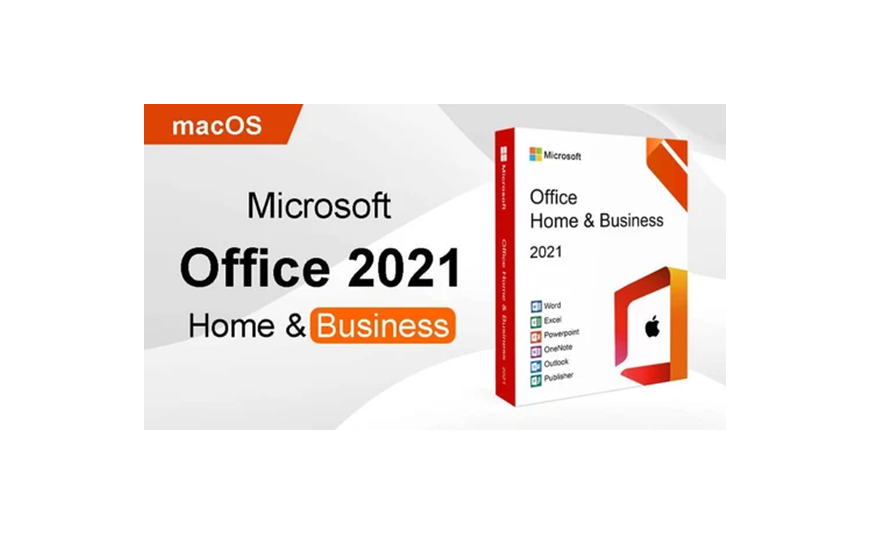
Mac users usually notice software problems faster than anyone else. One small lag, one random crash during work, and frustration starts building immediately. That’s one reason many professionals still search for Office 2021 Home Business for macOS instead of depending fully on browser apps or monthly subscriptions.
Microsoft finally improved the Mac experience properly with this release. Office apps feel lighter, smoother, and less annoying during long workdays. Word opens quickly. Excel handles bigger files better. Outlook no longer feels stuck in 2017.
Most importantly, the software actually feels designed for Mac users now instead of simply being adapted from Windows.
Faster and Smoother Performance
Performance is probably the first thing users notice after installing Office 2021 on newer MacBooks.
Apps respond faster. Switching between Word, Excel, and Outlook feels smoother. Apple silicon optimization also plays a huge role here. Macs running M1 or M2 chips handle Office tasks much better compared to older versions like Office 2016.
A lot of freelancers and remote workers deal with heavy multitasking daily. Browser tabs open everywhere. Zoom calls are running in the background. Maybe Spotify too. Office 2021 handles that environment far more comfortably.
Simple improvements stand out quickly:
- Faster startup times
- Better handling of large Excel sheets
- Smoother multitasking across apps
Small details matter during an eight-hour workday.
One-Time Purchase Still Attracts Buyers
Subscription overload became exhausting for many people. Music apps, storage plans, editing tools, streaming services. Everything wants monthly payments now.
That’s why Office 2021 home business still appeals to practical buyers. One payment gives permanent access to the core apps without ongoing charges quietly stacking up later.
The package includes Word, Excel, PowerPoint, Outlook, and OneNote. For many users, that’s already enough for business tasks, personal projects, presentations, and client communication.
Not everyone needs cloud-heavy systems or advanced AI features. Plenty of people simply want reliable desktop software that works properly every day.
Outlook Finally Feels More Reliable
Older Outlook versions for Mac had a rough reputation. Search functions failed randomly. Syncing sometimes slowed down badly. Many users switched to Apple Mail because it felt easier. Office 2021 improved that experience in noticeable ways.
Emails load faster. Calendar syncing behaves more consistently. The interface also feels cleaner than native macOS apps. That visual consistency matters more than many software companies realize.
Professionals managing clients, invoices, meetings, and projects benefit most from the update. Daily communication feels less frustrating now.
Excel Gets Real Productivity Upgrades
Excel remains one of the strongest reasons people buy Office for macOS in the first place. Microsoft added modern functions that were previously missing in older standalone versions. And honestly, some of them save serious time.
A few standout additions include:
- XLOOKUP support
- Dynamic arrays
- LET function
XLOOKUP alone removes a lot of spreadsheet headaches. Users who spent years fighting broken VLOOKUP formulas immediately notice the difference.
Financial teams, ecommerce sellers, and small business owners usually gain the biggest advantage here because they work with data constantly.
Better Collaboration Without the Mess
Hybrid work changed everything. Teams edit documents together now instead of emailing files back and forth twenty times.
Office 2021 supports real-time collaboration directly inside Word and PowerPoint. Comments sync faster. Shared documents behave more smoothly. File conflicts happen less often than before.
Microsoft also improved cloud integration without forcing users into complicated workflows. That balance works well for smaller businesses and freelancers who want flexibility without technical chaos.
A Microsoft case study involving remote marketing teams showed collaborative editing reduced revision delays significantly after upgrading from older Office versions. That kind of improvement sounds small until deadlines start piling up.
Cleaner Design for macOS Users
Mac users care about visual experience. Software that feels clunky or outdated becomes irritating surprisingly fast.
Office 2021 looks cleaner than older releases. Dark mode integration feels more natural. The ribbon interface remains familiar but less crowded. Microsoft simplified enough without removing useful tools that experienced users rely on daily.
Three visual improvements stand out most:
- Better dark mode support
- Cleaner toolbar layout
- Improved Retina display optimization
Long writing sessions feel easier on the eyes now, especially during nighttime work.
Stability Matters More Than Fancy Features
Most buyers care less about flashy marketing and more about whether the software crashes during important work.
Office 2021 performs more reliably during:
large PowerPoint presentations, long Word documents, and heavy Excel processing. Creative professionals using Photoshop, Final Cut Pro, or design software alongside Office also notice better stability overall.
Older Office versions occasionally slowed down mixed workflows badly on lower-memory MacBooks. Microsoft improved that problem quite a bit here.
Cross-platform compatibility also became stronger. Files shared between Windows and Mac users now keep formatting more consistently, which helps remote teams avoid unnecessary cleanup later.
Conclusion
Office 2021 Home & Business for macOS delivers something many users still want badly in 2026. Stable desktop software without endless subscriptions or bloated extras.
Performance improvements, smoother Outlook functionality, stronger Excel tools, and better Mac optimization make it a practical option for freelancers, business owners, students, and remote workers. The experience feels faster, cleaner, and more dependable compared to older Office releases.
Reliable software usually wins in the long run because people depend on it daily, not occasionally. Office 2021 understands that balance fairly well.
For affordable software licenses and activation options, many buyers continue exploring Key-Soft for digital software solutions.
FAQs
Is Office 2021 Home Business for macOS compatible with M1 Macs?
Yes. Office 2021 works well with Apple silicon devices, including M1 and M2 Macs, offering faster performance and smoother multitasking.
What applications are included in Office 2021 Home Business for macOS?
The package includes Word, Excel, PowerPoint, Outlook, and OneNote.
Does Office for macOS require internet access all the time?
No. Most Office 2021 apps work offline after activation, which is useful for users who prefer desktop software.
Is Office 2021 Home Business a one-time purchase?
Yes. Users pay once and receive lifetime access without monthly subscription payments.






