
 Español
 Italiano
 Polski


How to Activate Windows 10 Home OEM Global Key Easily
- 22 May, 2026
- Home
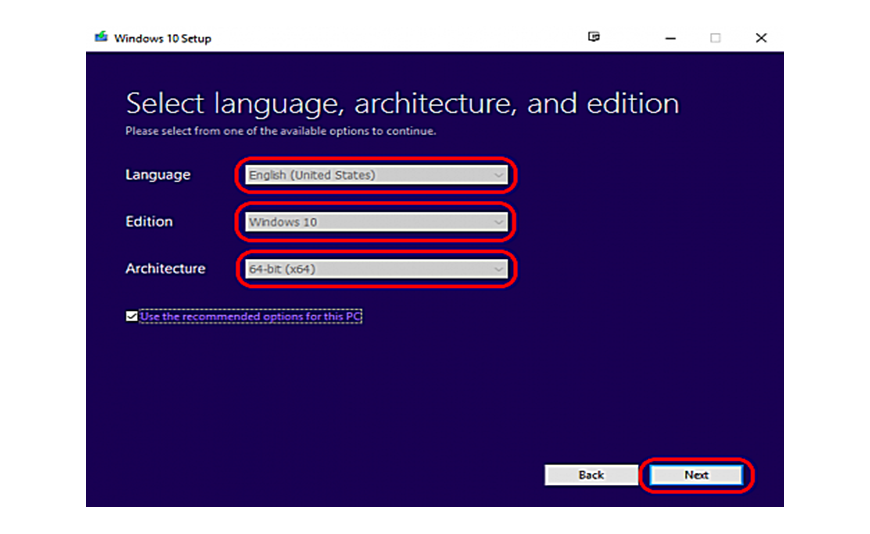
The installation of a valid Windows license not only gets rid of the activation warning message. It verifies that your computer is legitimate and licensed, opens up the options of personalizing the desktop, and enables your PC to download all critical security updates from Microsoft. An affordable solution for activating Windows 10 Home with a single key tied to the computer is through a Windows 10 Home OEM global key.
In this article, you will learn what an OEM key is, what is meant by global activation and how to activate your Windows 10 Home OS without a hitch. If you are considering various types of Microsoft Windows Software and have some confusion while activating your software, then this article will be beneficial for you.
What Is a Windows 10 Home OEM Key?
A Windows 10 Home OEM key is a one-time license intended for activation on a single PC. Once the key is used, it becomes tied to that computer's motherboard and is not normally transferable to another device.
This type of license is popular because it offers a lower-cost way to run Microsoft Windows 10 Home with full functionality. Windows 10 Home includes all the features most users need, such as:
- Microsoft Edge
- Windows Security
- Parental controls
- Microsoft Store access
- Device encryption on supported hardware
For browsing, streaming, online classes, and office work, Windows 10 Home remains a reliable choice.
What Does OEM Mean?
OEM stands for Original Equipment Manufacturer.
In simple terms, this license is meant to stay with one computer for its lifetime. After activation, the product key is associated with the hardware and cannot usually be moved to another machine. This makes OEM licenses ideal for:
- Newly built PCs
- Refurbished desktops and laptops
- Personal computers used long-term
- Budget-conscious buyers
What Does Global Key Mean?
A global key is designed to activate in most countries rather than being restricted to a single region. This is especially useful if you:
- Live outside the United States or Europe
- Travel frequently
- Purchase software from international sellers
- Need flexible activation options
Global compatibility gives users more confidence when buying digital licenses online.
Before You Start the Activation Process
Make sure the following are in place:
- Windows 10 Home is already installed
- Your computer is connected to the internet
- You have the 25-character product key
- The system date and time are correct
If another edition, such as Windows 10 Pro, is installed, the Home key will not activate until the correct edition is installed.
Step-by-Step Activation Instructions
Activating Windows 10 Home takes only a few minutes.
- Open Settings: Click the Start menu and choose Settings.
- Go to Activation: Select Update & Security, then click Activation.
- Enter Your Product Key: Choose Change product key and type in the 25-character code exactly as provided.
- Connect and Verify: Windows will contact Microsoft's servers and validate the license.
- Finish Activation: Once verification is complete, your copy of Windows will show as activated.
How to Confirm That Windows Is Activated
Return to the Activation page in Settings.
You should see a message stating that Windows is activated with a digital license.
At this point, all home edition features are fully available, and the activation watermark disappears.
Benefits of Using a Genuine OEM Key
A valid license offers more than just legal compliance. Key advantages include:
- Access to all Windows 10 Home features
- Security and stability updates
- No activation reminders
- Personalization settings unlocked
- Reliable long-term use
Using a genuine key helps avoid errors associated with unauthorized software.
Common Activation Problems
Most activations succeed immediately, but a few issues can prevent completion. Typical causes include:
- Typing mistakes in the product key
- Installing the wrong Windows edition
- Temporary internet connection problems
- Invalid or previously used keys
Double-checking the edition and the entered code resolves most issues.
Who Should Choose Windows 10 Home OEM?
This license is well-suited for:
- Students
- Home users
- Families
- Small office users
- Owners of one long-term PC
If you do not need advanced business tools, Windows 10 Home offers excellent value.
Is Windows 10 Home Still a Good Choice?
Yes, Windows 10 Home remains a stable and familiar operating system that works well for daily tasks such as web browsing, document editing, and online communication.
It is especially useful for computers that do not meet the hardware requirements for Windows 11.
Final Thoughts
Activating a Windows 10 Home OEM Global Key is a straightforward process when the correct edition is installed and a genuine product key is used. The license provides permanent activation for one computer and delivers the full Windows experience with regular updates and essential security features.
If you are looking for authentic Windows licenses at competitive prices, Key-Soft offers dependable software solutions for users who want fast and hassle-free activation.
FAQs
What is a Windows 10 Home OEM Global Key?
It is a product key that activates Windows 10 Home on one computer and is intended to work in most countries.
Can I transfer an OEM key to another PC?
In most cases, no, OEM licenses are usually tied to the first computer on which they are activated.
How long does activation take?
The process normally takes only a few minutes with an active internet connection.
Will Windows updates work after activation?
Yes, a properly activated copy of Windows 10 Home receives regular security and system updates from Microsoft.






