
 Español
 Italiano
 Polski


How to Choose Between Office 365 Personal vs Pro Plus
- 21 May, 2026
- Home
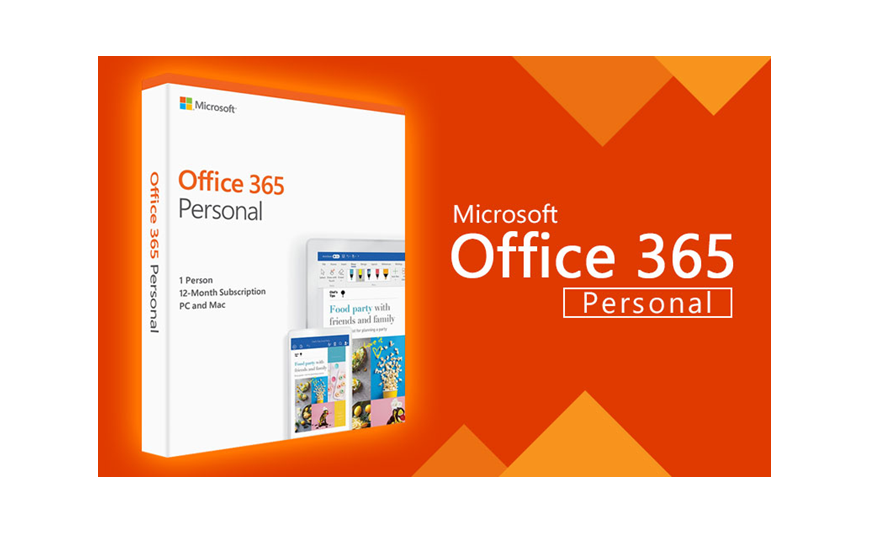
When it comes to choosing between different subscription options of Microsoft, you should consider their purpose first. Thus, the Office 365 Personal key for 12 months was created especially for those who need the highest quality Office suite application, along with cloud access and updates. In terms of Office 365 Pro Plus, which comes in the Microsoft 365 Apps for Enterprise suite, it targets companies that need more advanced deployment and management capabilities. Despite the similarities in the applications offered, the licensing differs vastly between the two offerings. Thus, if you need to pick out the correct version among all Microsoft Office software packages, our guide will be helpful.
What Is Office 365 Personal?
Office 365 Personal is a subscription for one user. It includes the latest versions of:
- Word
- Excel
- PowerPoint
- Outlook
- OneNote
- Access (Windows only)
- Publisher (Windows only)
The subscription also includes 1 TB of OneDrive cloud storage and regular feature updates.
This plan is ideal for students, freelancers, and home users who need Office on multiple personal devices.
What Is Office 365 Pro Plus?
Office 365 Pro Plus was the enterprise edition of Microsoft Office. Today, it is commonly known as Microsoft 365 Apps for Enterprise. It includes the same core Office applications but adds tools designed for business environments, such as:
- Centralized deployment
- Group policy management
- Shared computer activation
- Advanced security and compliance options
This version is best suited for organizations that manage Office across many users and devices.
Main Difference Between Personal and Pro Plus
The biggest difference is the target audience.
Office 365 Personal
Designed for one person who wants full Office access and cloud storage for everyday productivity.
Office 365 Pro Plus
Built for businesses that require enterprise-level administration, security, and deployment features.
For most individual users, the applications feel almost identical. The real difference is in management and licensing capabilities.
Features Included in Both Plans
Both subscriptions provide access to:
- Premium Office desktop apps
- Web and mobile versions
- Automatic updates
- Real-time collaboration
- OneDrive integration
You can create documents, analyze data, build presentations, and access files from anywhere.
OneDrive Storage Comparison
Office 365 Personal includes 1 TB of OneDrive storage for a single user.
Pro Plus plans may include OneDrive storage depending on the organization’s Microsoft 365 subscription, but storage allowances are managed by the company administrator.
Installation and Device Support
Both options support installation on:
- Windows PCs
- Mac computers
- Tablets
- Smartphones
Users can sign in across multiple devices and keep files synchronized.
Which Plan Is Better for Home Users?
For personal use, Office 365 Personal is the better choice. It offers:
- Lower cost
- 1 TB cloud storage
- Full Office apps
- Simple account management
Most home users do not need enterprise administration tools, so Pro Plus would add complexity without practical benefits.
Which Plan Is Better for Businesses?
Pro Plus is the better option for companies that need centralized software management and advanced security controls. Organizations benefit from:
- IT-based deployment
- License control
- Compliance tools
- Shared device activation
These features are especially useful for medium and large businesses.
Pricing and Value
Office 365 Personal is generally more affordable and easier to manage.
Pro Plus is typically licensed through business subscriptions, which may include additional Microsoft services such as Teams, Exchange, and SharePoint. If you only need Office for yourself, Personal offers better value.
Should You Consider a Permanent License?
Some users prefer a one-time purchase instead of an annual subscription. Options such as the Office 365 Pro Plus package are popular among users who want advanced Office capabilities, while perpetual licenses like Office 2024 are better for those who prefer to pay once and own the software long term.
How to Choose the Right Plan
Ask yourself a few simple questions:
Are You the Only User?
Choose Office 365 Personal.
Do you manage the office for Employees?
Choose Pro Plus or Microsoft 365 Apps for Enterprise.
Do You Need IT Administration Features?
Pro Plus is the stronger choice.
Do You Want the Most Affordable Option?
Personal is usually the better fit for individuals.
Final Thoughts
Office 365 Personal and Pro Plus include the same powerful Office applications, but they serve different needs. Personal is designed for one user who wants premium apps, 1 TB of cloud storage, and simple subscription management. Pro Plus is intended for organizations that need enterprise-level deployment and security tools.
If you are working on your own, Office 365 Personal is usually the smartest and most cost-effective option. If you manage software across a business environment, Pro Plus provides the control and flexibility that IT teams need.
For genuine Microsoft licenses and dependable pricing, Key-Soft offers trusted solutions for both personal and professional Office users.
FAQs
What is the difference between Office 365 Personal and Pro Plus?
Personal is for one individual user, while Pro Plus is built for businesses and includes advanced administrative tools.
Does Office 365 Personal include OneDrive storage?
Yes, it includes 1 TB of OneDrive cloud storage for one user.
Is Pro Plus better than Personal?
For businesses, yes. For individual users, Personal is usually the better value.
Can I use Office 365 Personal on multiple devices?
Yes, you can install it on multiple devices and sign in with your Microsoft account.






