
 Español
 Italiano
 Polski


How to Maximize Value with an Xbox Game Pass Subscription
- 20 May, 2026
- Home
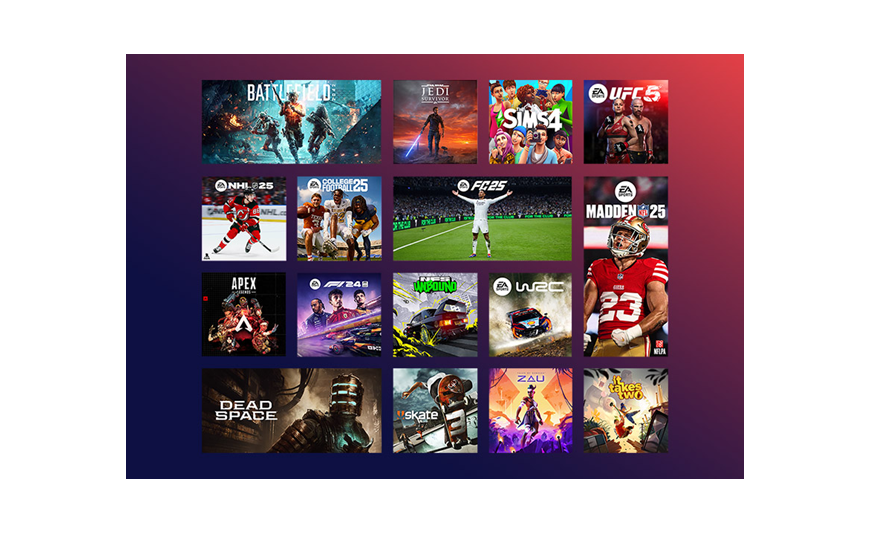
Gaming got expensive fast over the last few years. One new release can wipe out a weekend budget before the extras even show up. Expansion packs, deluxe editions, early-access upgrades. It adds up quicker than most people expect. That is a big reason why Xbox Game Pass keeps getting more attention. Paying one monthly fee for access to a huge game library just feels easier now.
Still, plenty of subscribers barely touch half the features included with the membership. Cloud gaming sits unused. Discounts get ignored. Entire categories of games never even get opened. Funny enough, many players pay for the subscription and treat it like they only own three games. A few simple habits can change that completely.
Choose the Subscription That Actually Fits Your Gaming Style
A lot of players jump into the highest-priced plan immediately without thinking about how they actually play.
Xbox Game Pass Ultimate would be the best option in the case of individuals who alternate between console, PC and mobile. All come as a package deal including online multiplayer, EA Play access and cloud streaming, which is more cost-effective than purchasing them separately.
In the meantime, Xbox Game Pass for pc is more suitable for people who spend the majority of their time at desktops or game laptops. In recent years, Microsoft has added a lot of PC games to its collection. Strategy games, shooters, indie titles, survival games. There is a pretty solid mix now.
Some PC players barely buy games on Steam anymore because Game Pass already covers most of what they planned to purchase.
Stop Treating Every New Release Like a Must-Buy
This is probably where the biggest savings happen. Major Xbox releases now launch directly into Game Pass on day one. Buying only two or three AAA games each year can easily cost more than the subscription itself.
Games such as Starfield and Forza Motorsport were automatically provided to subscribers, eliminating much of the risk that is inherent in purchasing new games. No one wants to pay full price for a product that is discarded after four hours.
That happened to me with a racing game last year. Downloaded it out of boredom one evening. Ended up completely hooked for weeks. Without Game Pass, I honestly would have skipped it. Sometimes the random downloads become the best ones.
Cloud Gaming Is Better Than Most People Think
Cloud gaming had a rough reputation early on. Laggy performance. Weird input delay. Random disconnects.
Phones, tablets and low-end laptops can stream games without huge installs consuming storage space with Xbox Game Pass Ultimate. It is particularly helpful when one is traveling or when one simply wants to have a quick experiment with a game before downloading 100GB files.
A few situations where cloud gaming genuinely helps:
- testing games before installing them
- playing during travel without carrying a console
- switching between multiple devices easily
Internet quality still matters, obviously. Stronger connections give smoother performance. But compared to a few years ago, the experience feels far more stable now.
Hidden Perks Most Subscribers Forget About
Many people focus only on blockbuster games and completely miss the smaller benefits attached to the membership.
EA Play alone adds a huge collection of sports games, older action titles and shooters. Seasonal discounts also help lower the cost of buying games permanently. Another smart habit is checking the “Leaving Soon” section every month.
Nothing hurts more than getting halfway through a long RPG and realizing it vanished from the library overnight. Yeah, that one stings a little.
Small Habits That Stretch the Subscription Further
Subscribers who get the best value usually explore outside their comfort zone. Instead of downloading only trending multiplayer games, they bounce between genres regularly. Puzzle games, survival titles, indie adventures. Some unexpected favorites show up that way.
Three habits help a lot:
- rotate between different genres regularly
- Check monthly perks and bonus rewards
- Use cloud gaming before downloading huge files
Players who only stick to one game year-round usually miss the biggest advantage of Game Pass. The variety is honestly part of the value.
Conclusion
An Xbox Game Pass subscription becomes far more useful once the full ecosystem is explored properly. Cloud gaming, PC access, day-one releases, EA Play and member discounts all work together to stretch gaming budgets further.
Subscriptions are no longer just about convenience anymore. To many players, they have become the most affordable means of playing high-quality games without necessarily having to purchase new releases at full price. Key-Soft can still be considered a good option among those who prefer to have high-quality access and do not spend a lot of money on digital software and subscriptions.
FAQs
Is Xbox Game Pass Ultimate better than the standard version?
Yes, especially for players who want online multiplayer access, cloud gaming, and PC support in one subscription.
What games are included in Xbox Game Pass for PC?
Xbox game pass for pc includes hundreds of titles across genres like racing, strategy, RPGs, shooters, and indie games.
Can Xbox Game Pass save money for regular gamers?
Absolutely. Players who buy multiple new releases yearly often spend less overall with Game Pass.
Does Xbox Game Pass include cloud gaming?
Cloud gaming is included with xbox game pass ultimate, allowing users to stream supported games on multiple devices.






