
 Español
 Italiano
 Polski


Legacy Windows Editions Still Worth Buying: Windows 7 & 8.1 Key Guide
- 08 Aug, 2026
- Home
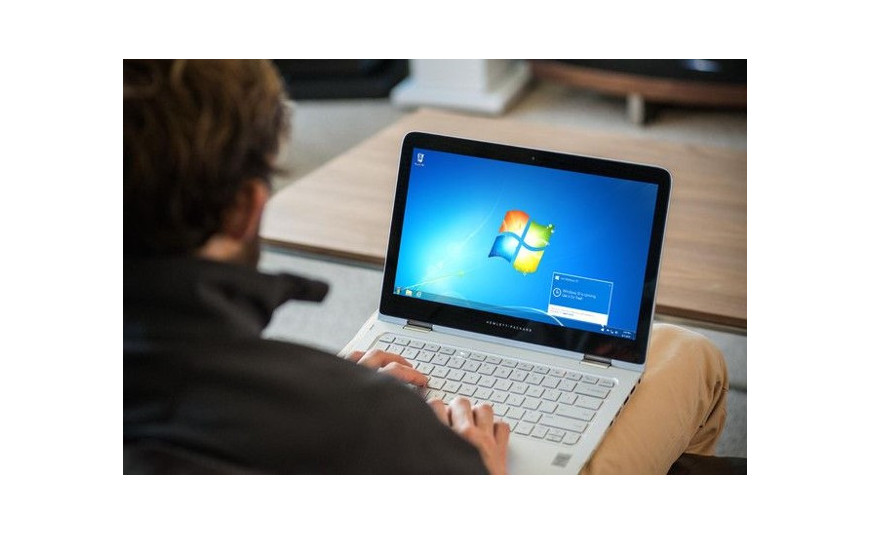
Modern computing has moved on to Windows 11, but that does not mean older Windows editions are entirely irrelevant. Certain older hardware, specialized software, and legacy business systems still run best on Windows 7 or Windows 8.1. If you maintain an older machine for a specific purpose, understanding your key options still matters.
This guide covers what the Windows 7 and Windows 8.1 Pro editions unlock, and who should still consider these older editions.
Why Some Users Still Rely on Windows 7 or 8.1
Windows 7 and 8.1 reached the end of their official support lifecycles years ago, meaning Microsoft no longer issues routine security patches for standard installations. Despite that, some users continue running these systems for practical reasons:
- Older hardware that cannot meet Windows 11's processor, TPM, or RAM requirements
- Legacy industrial, medical, or manufacturing software that was never updated for newer Windows versions
- Air-gapped or offline systems that are not connected to the internet and face lower exposure to online threats
- Testing and development environments where compatibility with older software is required
If none of these apply to you, a current, actively supported version of Windows is almost always the safer and more practical choice. Running an unsupported operating system on an internet-connected machine carries real security risk, since it will not receive patches for newly discovered vulnerabilities.
Windows 7 Editions: Ultimate vs Professional
Windows 7 was sold in several editions, but Ultimate and Professional are the two most relevant for anyone still using the OS today.
Windows 7 Ultimate included every feature Microsoft offered for the platform, including BitLocker encryption, Windows XP Mode for running older applications, and multi-language pack support. A windows 7 ultimate key global activation unlocks the full feature set, making it the most complete version of Windows 7 available.
Windows 7 Professional covered most business essentials, including domain join, Remote Desktop hosting, and backup tools, but left out a few of Ultimate's extras like XP Mode and the full multilingual interface pack. A windows 7 pro professional key global is generally sufficient for standard business or power-user needs without paying for features most people never touch.
Windows 8.1 Pro: The Business-Focused Edition
Windows 8.1 introduced a redesigned interface alongside meaningful under-the-hood improvements over Windows 7, including better boot times and improved multi-monitor support. Windows 8.1 Pro added the business-oriented tools that the standard edition lacked:
- BitLocker drive encryption
- Domain join and Group Policy management
- Remote Desktop hosting
- Client Hyper-V for local virtual machines
A windows 8 1 pro professional key is the edition to look for if you need any of these capabilities on a Windows 8.1 machine. The standard Windows 8.1 edition, by comparison, is closer to a consumer-only experience without administrative or networking tools.
Important Security Considerations
Before setting up any legacy Windows installation, keep the following in mind:
- No routine security patches. Both Windows 7 and Windows 8.1 are past their standard support windows, so newly discovered vulnerabilities generally will not be patched on standard installations.
- Limited modern software compatibility. Many current applications and browsers have dropped support for these older operating systems, which can limit what you are able to install and run.
- Best suited to isolated use cases. These editions make the most sense for offline systems, legacy software compatibility, or dedicated single-purpose machines rather than a primary, internet-connected daily driver.
Activation Basics for Legacy Windows Keys
Activating Windows 7 or 8.1 works similarly to newer versions: enter your product key during setup or through the Control Panel's System settings, and the key is verified against the installed edition. Whichever edition you are activating, the key must match what is already installed. Mismatched keys will fail verification, so confirm your exact edition and build before purchasing or entering any key.
Who Should Still Consider These Editions
Legacy Windows keys make sense for a narrow set of situations: reviving old hardware for a specific offline task, running specialized legacy software that has no modern equivalent, or maintaining a dedicated testing environment. For a primary computer that connects to the internet regularly, a currently supported version of Windows is the more secure and future-proof choice.
Conclusion
Windows 7 and 8.1 still have a place for specific hardware and software situations, even years after their mainstream support ended. Ultimate and Professional editions of Windows 7, along with the Pro edition of Windows 8.1, unlock the encryption, networking, and virtualization tools that older business setups often depended on. Just go in with clear eyes about the security tradeoffs involved in running an unsupported operating system.
If a legacy setup is genuinely what your project needs, Key-Softs offers digital keys with instant delivery so you can get your older hardware activated and running.
Frequently Asked Questions
Is it safe to use Windows 7 or 8.1 on a computer connected to the internet?
It carries more risk than using a currently supported operating system, since new vulnerabilities are generally not patched. If you must stay online, keep the system isolated as much as possible, use up-to-date third-party security software, and avoid browsing or downloading files from untrusted sources.
Can I upgrade a Windows 7 Professional installation to Windows 7 Ultimate?
Windows 7 offered a feature called Windows Anytime Upgrade in some regions, which allowed edition upgrades with a valid key. Availability and support for this feature vary, so check current compatibility before assuming it will work.
Does Windows 8.1 Pro support the same hardware as Windows 8.1 standard edition?
Yes, hardware requirements are identical between the two editions. The differences are strictly in software features like BitLocker, domain join, and Hyper-V, not hardware compatibility.
Can I install modern browsers on Windows 7 or 8.1?
Most major browser developers have phased out support for these operating systems, so you may be limited to older browser versions with reduced security protections. Check current browser vendor documentation for supported operating systems before relying on this setup for everyday browsing.






