
 Español
 Italiano
 Polski


Windows 10 Home & Pro Activation Guide – product key, free activation & global keys
- 07 Oct, 2026
- Home
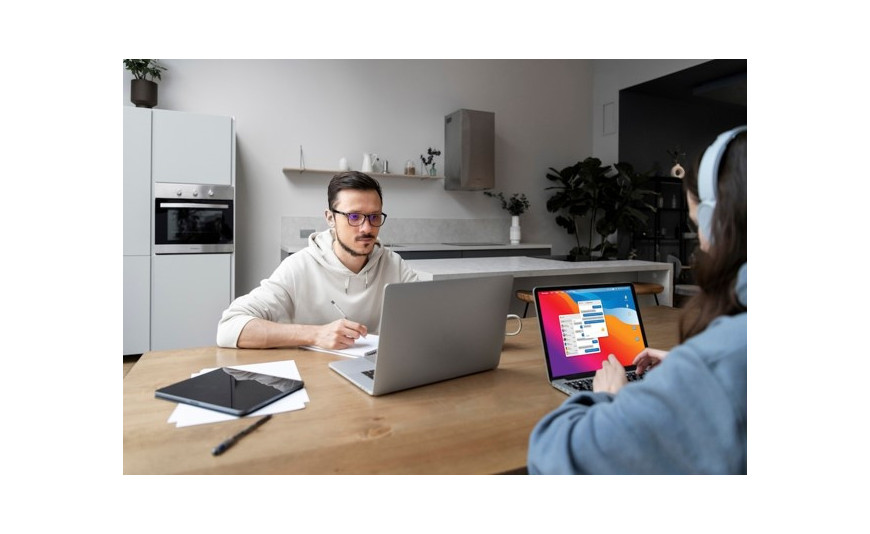
Every new Windows installation eventually asks the same question: how do you activate it correctly? Many of our customers face this exact situation after a fresh install or a system upgrade, which is why we have put together this blog covering the Windows 10 Home Global Activation Key, the free activation options that genuinely exist, and what a Pro key actually offers over the standard edition.
Understanding Why Activation Matters
Windows technically functions before activation. Files open, applications run, and the desktop loads normally. However, a persistent watermark appears on screen, personalization options remain locked, and certain settings display ongoing reminders to activate.
Activation does not change how the operating system performs. It unlocks the full range of customization and confirms that the copy of Windows is genuine.
Limitations Without a Valid Key
- Desktop background and theme settings remain restricted
- A visible watermark stays on the screen at all times
- Some system settings display persistent warnings
- Certain feature updates may not install correctly
None of these issues prevent basic use, but they do limit the overall experience and signal an incomplete setup.
Windows 10 Home vs Pro: Key Differences
Before selecting a key, it helps to confirm which edition suits your requirements. Windows 10 Home is designed for everyday computing needs, including browsing, streaming, general office work, and personal use. It covers the requirements of most households and individual users.
Windows 10 Pro includes additional business-focused tools such as BitLocker encryption, Remote Desktop access, Group Policy management, and domain connectivity. Users managing small offices or requiring stronger security controls typically benefit from these features.
Choosing between the two editions depends primarily on whether advanced administrative and security tools are required for your daily work.
Finding a Windows 10 Product Key Free
Several legitimate paths exist for obtaining a windows 10 product key free, and each one is worth understanding clearly.
- Upgrade entitlement from Windows 7 or 8.1 – Microsoft continues to honor this digital entitlement in many cases, with the license linking automatically to your Microsoft account once verified.
- OEM key stored in device firmware – Most laptops and prebuilt desktops carry the license key embedded directly in the hardware, allowing automatic activation without manual entry.
- Reactivation on previously licensed hardware – Reinstalling Windows on the same device typically restores the existing license without requiring a new key.
Tools claiming to generate free activation codes should be avoided entirely. These programs frequently contain malicious software and do not provide a valid or lasting activation.
Checking Your Existing License Status
Confirming whether your device already holds a valid license takes only a few steps.
- Open Settings, then select Update & Security
- Select Activation
- Review the message confirming whether Windows is already activated with a digital license
If activation is already confirmed, purchasing a new key becomes unnecessary.
Understanding the Windows 10 Pro Key Free Option
A completely windows 10 pro key free rarely exists through legitimate channels, and any offer suggesting otherwise should be reviewed carefully. What does exist is a limited evaluation trial, along with affordable genuine keys sold well below standard retail pricing.
The following points help distinguish reliable sources from questionable ones:
- Compare pricing against retail rates. Verified global activation keys are typically available at a significant reduction compared to Microsoft's listed retail price.
- Confirm delivery speed. Digital keys should arrive by email within minutes of purchase.
- Identify the license type. OEM, retail, and volume license keys each activate differently, and understanding this distinction prevents confusion during setup.
Our store provides verified Windows 10 Home Global Activation Key options alongside Pro equivalents, delivered digitally with immediate access after purchase.
Step-by-Step Activation Process
Once a genuine key is available, activation requires only a few straightforward steps.
- Open Settings and navigate to Update & Security
- Select Activation, then choose Change Product Key
- Enter the 25-character key exactly as provided
- Follow the verification prompts displayed on screen
- Restart the device if requested
This process typically completes within a few minutes and requires no advanced technical knowledge.
Resolving Activation Errors
Occasionally, a key does not activate successfully on the first attempt. The following steps help resolve most common issues:
- Recheck the key for typing errors, particularly between the number zero and the letter O
- Confirm a stable internet connection during activation
- Run the built-in Activation Troubleshooter
- Contact the seller directly if the key remains invalid, as a reliable retailer will issue a replacement
Our support team reviews replacement requests promptly and resolves most cases within the same business day.
Understanding Global Keys and Regional Use
A common concern among buyers involves whether a global activation key functions outside a specific country. In most cases, standard retail and OEM keys activate without regional restriction, since Microsoft's activation servers generally do not limit these license types by location.
Regional restrictions typically apply only to certain volume license or MAK keys, which are sometimes tied to specific markets. Reviewing the product description before purchase clarifies this detail in advance.
Guidance for Purchasing a Key Online
Careful evaluation before purchase helps avoid common issues associated with software licensing.
- Confirm visible support contact details. A retailer without accessible support after purchase presents unnecessary risk.
- Review the stated delivery method. Instant email delivery remains standard for digital software keys.
- Store the key securely. Keeping a saved record simplifies future reinstallation.
- Approach unusually low lifetime pricing with caution, particularly when it significantly undercuts standard retail rates without clear explanation.
Attention to these details during the purchase stage prevents most activation problems later.
Conclusion
Activating Windows 10, whether Home or Pro, becomes straightforward once the licensing process and key types are properly understood. Avoiding unreliable free key generators, checking existing device licensing first, and purchasing from a source that provides genuine support after the sale all contribute to a smoother setup. At Key-Softs, we focus on providing verified, affordably priced activation keys with instant digital delivery, allowing customers to complete setup efficiently and with confidence in the software they receive.
Frequently Asked Questions
1. What distinguishes a Windows 10 Home Global Activation Key from a standard product key?
A global activation key is not restricted to a single country's activation servers, allowing it to function across most regions worldwide.
2. Is it possible to obtain a windows 10 product key free through legitimate means?
Yes. Valid options include upgrade entitlements from Windows 7 or 8.1, or an existing digital license already linked to your device hardware.
3. Does a genuine windows 10 pro key free trial exist?
Microsoft occasionally provides time-limited evaluation versions for testing purposes, though these differ from a permanent, fully licensed activation.
4. What steps should be taken if an activation key fails to work?
Recheck the key for entry errors first, then contact the seller for verification or replacement, as reputable retailers typically resolve activation issues quickly.






