
 Español
 Italiano
 Polski


Windows 10 Pro won’t activate after buying an Online, OEM, or COA key - what could be the cause?
- 26 Aug, 2026
- Home
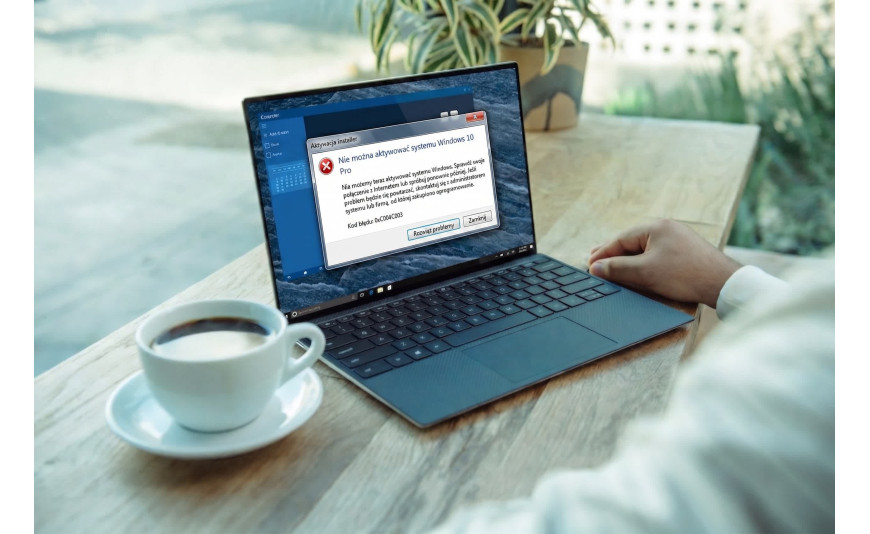
Purchasing a Windows license should normally result in a quick and straightforward activation process. However, there are situations where Windows 10 Pro fails to activate after purchasing an online, OEM, or COA product key. What could be causing the issue? Such a problem does not necessarily mean that the key is defective. Common reasons include typing errors, a mismatch between the installed Windows edition and the purchased license, or a product key that has already been used. Before assuming the key is invalid, it is worth checking a few important factors.
Windows 10 Pro Activation Will Fail if the Installed Edition Does Not Match the Purchased License
One of the most common reasons for activation problems is a mismatch between the installed Windows edition and the purchased product key. A Windows 10 Pro key can only activate a system running the Windows 10 Pro edition. If your computer is running Windows 10 Home, a Windows 10 Pro key will not be accepted.
Before entering the product key, verify:
- the installed Windows edition,
- the type of license you purchased,
- whether the product key matches your Windows version.
Your Windows 10 Pro Product Key May Not Work Due to Typing Errors or Internet Connection Issues
A Windows 10 Pro product key not working does not always mean the code itself is invalid. A single typing mistake or a temporary internet connection issue may prevent successful activation. During the activation process, Windows must communicate with Microsoft's activation servers, so an unstable or unavailable internet connection can interrupt the procedure.
Make sure that:
- every character has been entered correctly,
- letters and numbers have not been confused,
- your computer has a stable internet connection.
Windows 10 OEM Key Activation Problems Are Often Related to License Assignment Rules
Many users choose OEM licenses because of their lower price. However, activation issues with a Windows 10 OEM key may occur after replacing the motherboard or transferring Windows to another computer. An OEM license is permanently assigned to the first device on which it is activated, so attempting to use the same key on different hardware will usually fail.
A Windows 10 COA Key May Not Activate the System if It Comes from an Unreliable Source
If a COA key does not activate Windows, it is worth verifying its origin. A Certificate of Authenticity (COA) should be genuine and intended for legitimate activation. In some cases, the market offers COA stickers removed from old computers or product keys that have already been activated.
If this happens, you should contact the seller and request clarification or a replacement.
An Online Windows Product Key May Not Work Due to Licensing Restrictions
When purchasing a Windows license online, always pay attention to the license type. If an online Windows key does not work, it may have been intended for a different country, a specific licensing program, or a particular group of users. As a result, you may receive a Windows 10 activation error even though the product key was entered correctly.
For this reason, it is advisable to buy Windows licenses only from reputable sellers and carefully review the product description before making a purchase.
Why Doesn't My Windows 10 Product Key Work? The System Says It Has Already Been Used
Sometimes a Windows 10 product key has already been activated. This means that the key was previously used on another device or has exceeded the permitted number of activations. In such cases, you may experience Windows 10 Pro activation problems that require contacting Microsoft Support or the license seller for assistance.
Windows 10 Pro Won’t Activate After Purchasing an Online, OEM, or COA Key - What Could Be the Cause?
If Windows 10 Pro fails to activate, it is worth reviewing all possible causes before submitting a complaint. In most cases, the issue results from a mismatch between the installed Windows edition and the purchased license, OEM licensing restrictions, typing mistakes, a previously used product key, or a license purchased from an unreliable source. Carefully reviewing the error message displayed by Windows and verifying the type of license you own can help identify the cause more quickly and successfully complete the activation process.






