
 Español
 Italiano
 Polski


Windows 10 vs Windows 11: Which OS Should You Buy in 2026?
- 22 May, 2026
- Home
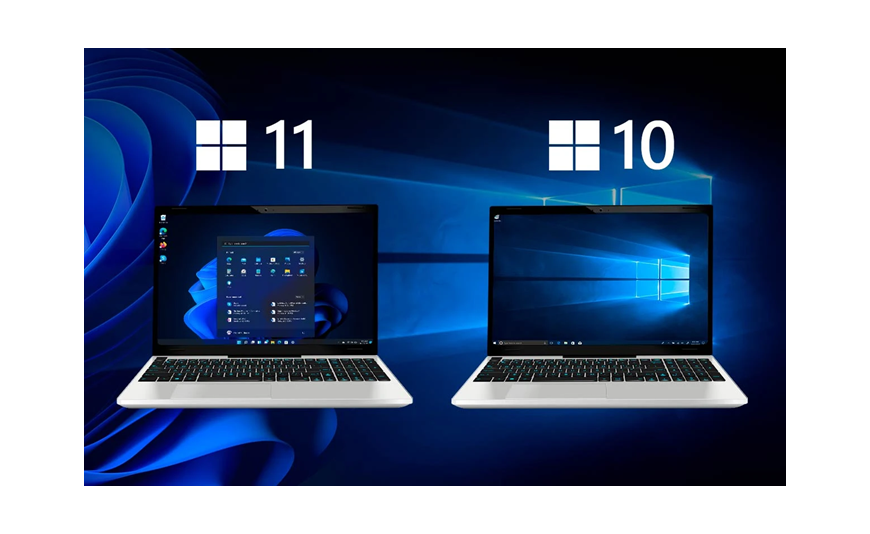
Opting for the Windows license in 2026 does not necessarily mean that going for the newest is the only option. In fact, there are two types of operating systems available in the market, both of which have their applications and strengths. It seems that the Windows 11 Professional license would be the best long-term choice due to the inclusion of all the innovations from Microsoft, while Windows 10 is still a reliable alternative for older devices.
In this article, we compare the performance, compatibility, gaming potential, and prices for both versions to determine which one is better. This review is intended for individuals who are evaluating the various Microsoft Windows software.
Is Windows 10 Still Worth Buying in 2026?
Windows 10 continues to be one of Microsoft's most stable operating systems. Many users appreciate its familiar layout, broad software compatibility, and low hardware requirements. It is still a practical option if:
- Your computer does not meet Windows 11 requirements
- You prefer the classic Start menu and taskbar
- You rely on older programs or hardware
- You want a lightweight and familiar environment
For many home and office users, Windows 10 still performs very well.
Why Windows 11 Is the Better Long-Term Choice
Windows 11 is Microsoft's current flagship operating system. It introduces a redesigned interface, stronger security, and better optimization for newer processors. Key advantages include:
- Modern and cleaner interface
- Enhanced multitasking tools such as Snap Layouts
- Improved gaming features
- Better support for new hardware
- Ongoing feature updates
For users buying a new PC or planning to keep their system for several years, Windows 11 is usually the smarter investment.
Performance Comparison
In everyday tasks such as browsing, document editing, and video calls, both operating systems perform smoothly.
- Windows 10 Performance: Windows 10 runs well on a wide range of computers, including older systems with modest hardware.
- Windows 11 Performance: Windows 11 is optimized for newer CPUs and SSDs, which can result in faster startup times and improved efficiency.
On modern hardware, the performance difference is small but noticeable in multitasking and responsiveness.
Hardware Requirements
This is one of the biggest differences between the two operating systems.
Windows 10
Windows 10 supports older processors and does not require TPM 2.0.
Windows 11
Windows 11 requires:
- TPM 2.0
- Secure Boot support
- Compatible 64-bit processor
- At least 4 GB RAM
- 64 GB storage
If your PC does not meet these requirements, Windows 10 may be the more practical choice.
Security Features
Windows 11 includes stronger built-in security protections. These include:
- Hardware-based isolation
- Enhanced encryption
- Improved malware protection
- Better support for modern security standards
Users focused on privacy and business security will benefit from upgrading to Windows 11.
Gaming Experience
Gamers can enjoy excellent performance on both systems, but Windows 11 offers newer technologies such as Auto HDR and DirectStorage.
If you play the latest titles and have modern hardware, Windows 11 provides a better gaming experience.
Interface and Usability
Windows 10 keeps the familiar layout that many users know well. Windows 11 introduces:
- Centered Start menu
- Rounded corners
- Simplified settings
- Improved window management
Some users prefer the traditional look of Windows 10, while others appreciate the cleaner design of Windows 11.
Business and Professional Use
Both systems are suitable for professional work. Windows 10 Pro and Windows 11 Pro include features such as:
- BitLocker encryption
- Remote Desktop
- Group Policy management
- Hyper-V virtualization
For users who want the newest business features and longer support, Windows 11 Professional is the better option.
Support and Future Updates
Windows 10 is nearing the end of its mainstream lifecycle, while Windows 11 continues to receive new features and security updates.
In 2026, users who want the best long-term value should consider Windows 11 because it will remain Microsoft's primary focus for years to come.
Which Version Should You Buy?
Choose Windows 10 if:
- Your PC does not support Windows 11
- You prefer a familiar environment
- You use older software or devices
Choose Windows 11 if:
- You are buying a new computer
- You want the latest security features
- You plan to use the system for several years
- You need the best long-term support
Best Windows Editions to Consider
For most users, the most popular editions are:
- Windows 10 Home
- Windows 10 Pro
- Windows 11 Home
- Windows 11 Professional
Professional editions are ideal for business users and anyone who needs advanced tools such as BitLocker and Remote Desktop.
Final Thoughts
Windows 10 remains a solid and dependable operating system, especially for older computers and users who prefer a familiar experience. Windows 11 is the stronger choice for anyone looking ahead. It offers better security, a modern interface, and continued support from Microsoft.
If you are buying a new license in 2026, Windows 11 Professional is usually the best investment for long-term use.
For genuine Windows licenses and competitive prices, Key-Soft provides trusted software solutions for both home and business users.
FAQs
Is Windows 10 still good in 2026?
Yes, Windows 10 remains reliable and compatible with many applications, especially on older hardware.
Should I buy Windows 10 or Windows 11?
Windows 11 is the better long-term option for most users, while Windows 10 is a practical choice for unsupported PCs.
Is Windows 11 faster than Windows 10?
On newer hardware, Windows 11 can feel more responsive and efficient, particularly when multitasking.
Which Windows edition is best for business use?
Windows 11 Professional is an excellent choice for business users who need advanced security and management features.






