
 Español
 Italiano
 Polski


Office for Mobile: Essential Features for Remote Workers
- 11 Jun, 2026
- Home
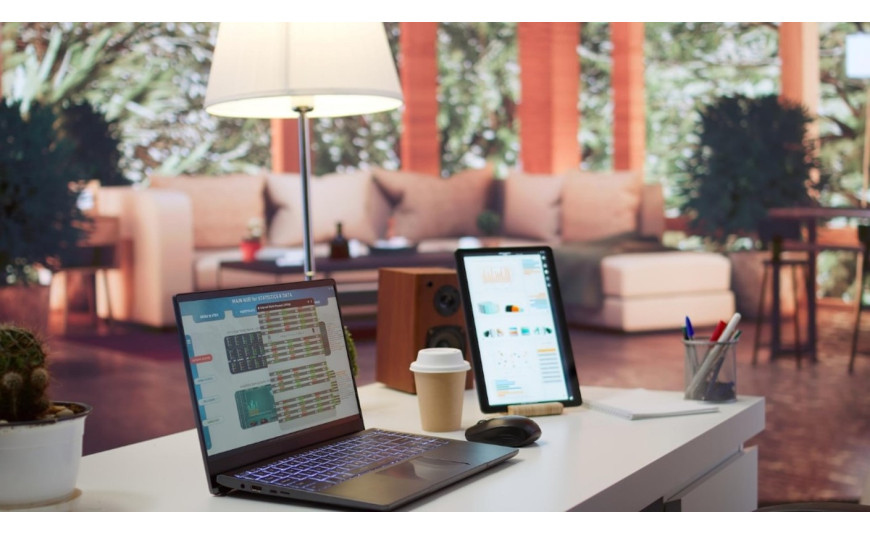
Running a business from an airport lounge or reviewing financial contracts while sitting in the back of a taxi used to be a recipe for disaster. A few years ago, mobile productivity apps were so stripped down that trying to edit a simple bullet point would completely ruin the alignment of an entire document. Today, the landscape is entirely different because implementing a proper office for mobile setup allows professionals to handle complex workflows straight from a smartphone or tablet.
Remote work requires tools that load instantly and sync perfectly across devices without data loss. This Blog details the absolute best features hidden inside the modern mobile productivity ecosystem that help you stay active on the go. You will discover how to sign paperwork, build spreadsheets and present slides efficiently without ever opening a heavy laptop.
The Power of the Unified App Ecosystem
Installing separate apps for text content documents, spreadsheets, and presentations takes up too much storage space and slows down your phone. Microsoft solved this by merging Word, Excel, and PowerPoint into a highly customized cell field application.
This unified application handles file transfers much faster and allows for rapid switching between tasks. The interface is clean, focusing heavily on bottom navigation bars so you can reach every tool with just your thumb. Security is heavily baked into this setup as well, with biometrics like Face ID or fingerprint scanning protecting your local files if you happen to leave your phone on a coffee shop counter.
Top Features That Change the Remote Work Game
Most users only use these mobile tools to read text, missing out on major hidden utilities. The scanning engine alone replaces the need for bulky home office hardware.
- PDF Quick Actions: You can snap a picture of a physical paper contract, convert it into a clean digital PDF file, sign it using your finger on the screen and email it back to a client in under two minutes.
- Image-to-Text Transcription: Taking a photo of a printed data table automatically converts those columns into a fully editable Excel spreadsheet without manual typing.
- Voice Dictation with Formatting: The built-in microphone tool understands commands like new paragraph or period, letting you draft long email responses or reports while walking.
- Offline Synchronization: Any changes you make while disconnected from internet networks sync up automatically the second your device finds a stable Wi-Fi connection.
Cloud Synchronization and Active Collaboration
Working outside a traditional office means you cannot risk losing progress because of a dead phone battery. Connecting your apps to an Office 365 account ensures that every single keystroke is saved to ensure real-time cloud storage.
If a colleague edits a financial motivation on their computer device back at company headquarters, that change is immediately reflected on your phone screen, you can go away and respond, inviting tag team participants to rationalize and adjust model stories instantly from the mobile interface. This level of connectivity eliminates the old headache of emailing multiple report versions back and forth, and ensures that the entire distributed crew is working on a one-to-one reality supply
Finding the Right Software Structure
Every remote worker has different demands depending on their business size and device usage. Navigating various microsoft office packages comes down to figuring out how many screens you need to activate.
- The Free Tier Experience: Perfect for casual users who only need to read documents or make minor edits on screens smaller than 10.1 inches.
- Premium Commercial Tiers: Necessary for businesses using large tablets, requiring advanced data tracking features, or needing massive cloud storage backups.
Conclusion
Shifting your workflow to portable devices requires a small change in habits. Using a compact Bluetooth keyboard, the compact tablet becomes an extremely useful computer for long typing sessions. By relying on the included cloud folders, your virtual workspace will remain organized and organized.
Securing a genuine software license makes it incredibly easy to keep your phone, tablet and main computer perfectly synced up. When you are ready to upgrade your portable office setup, Key-soft offers authentic, budget-friendly digital product keys sent right to your inbox, letting you access premium business features on any device instantly.
FAQs
Do I need a continuous internet connection to use office for mobile?
No, you do not need to stay connected to the internet at all times. The mobile applications allow you to create, view, and edit files fully offline. Any changes you make save directly to your mobile device's local memory and will automatically sync to your cloud backup the moment you reconnect to a network.
What are the main limitations of editing spreadsheets on a mobile device?
While you can use formulas and format data cleanly on a phone, the mobile version does not support heavy macros, advanced VBA scripting, or massive data pivot tables. For standard data entry, basic calculations, and reviewing sheets, the mobile tools perform beautifully.
Can I open files created on an office 365 setup with older desktop apps?
Yes, the files use the standard modern file extensions like .docx, .xlsx, and .pptx. These formats are universally recognized, meaning anyone using older standalone versions of the software on a desktop can open, read, and edit your mobile-created files without encountering errors.
Is the mobile productivity application safe to use on public Wi-Fi?
The application utilizes enterprise-grade data encryption when sending files back and forth to cloud servers. To maximize your security when working from a public coffee shop or airport network, it is always a smart practice to combine the app's native security with a dependable virtual private network.






